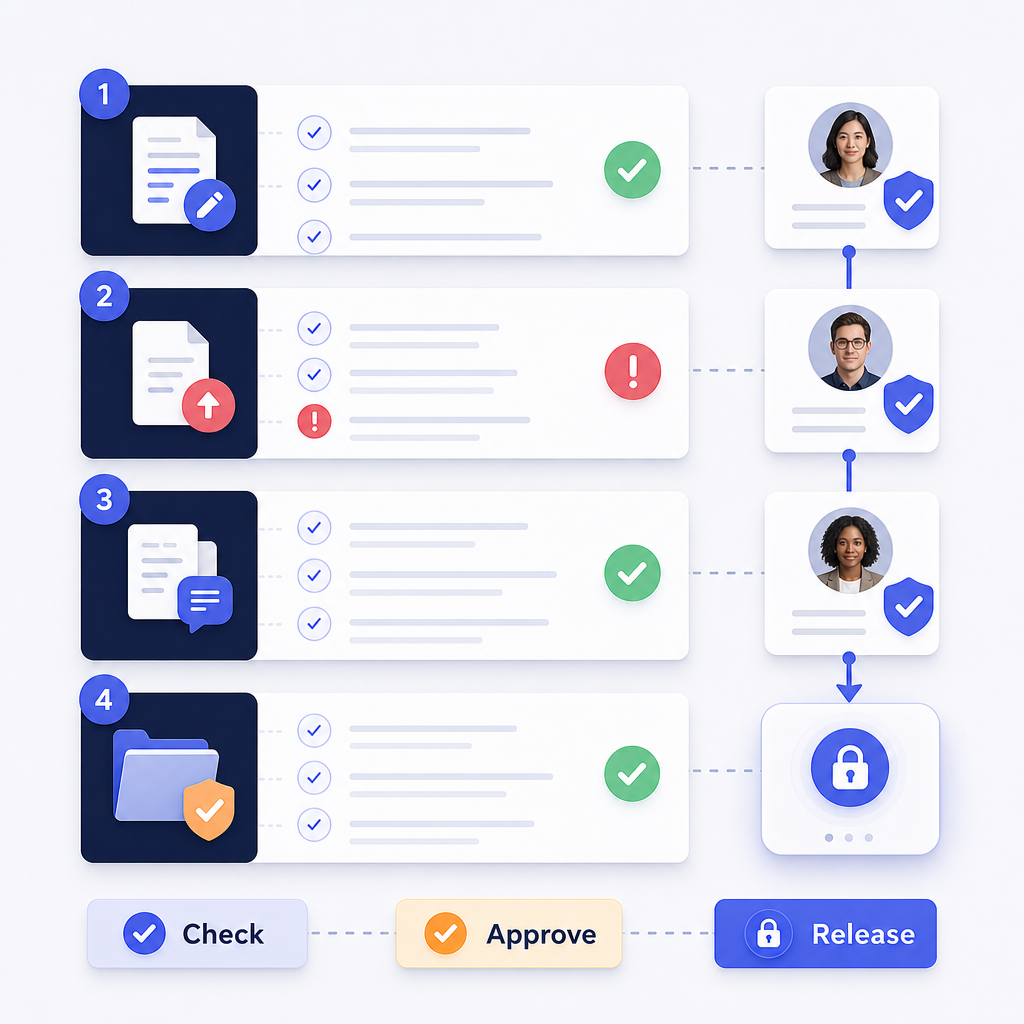
Record the source, case, actor, authorization, action, scope, outcome, and derivative relationship for every meaningful event. Preserve frame or time range scope, method, settings, reason, reviewer decision, export version, and destination when a redaction changes a release copy. Link the audit trail to chain of custody and security records without treating any one log as the complete evidence history. Retain corrections, failed exports, exceptions, and access events instead of recording only s…
When a protected video leaves a review queue, the finished file is only part of the story. A records custodian may also need to explain which source was used, who made each change, what a reviewer approved, and where the release copy went. A redaction audit trail turns those answers into a chronological record that another person can inspect.
This guide gives you a field-level checklist for evidence and release-copy events. It separates custody records from application logs, then follows the decisions that matter from intake through retention.
TL;DR
Record the source, case, actor, authorization, action, scope, outcome, and derivative relationship for every meaningful event.
Preserve frame or time-range scope, method, settings, reason, reviewer decision, export version, and destination when a redaction changes a release copy.
Link the audit trail to chain-of-custody and security records without treating any one log as the complete evidence history.
Retain corrections, failed exports, exceptions, and access events instead of recording only successful edits.
Use the checklist as an operating design; your counsel, records policy, and jurisdiction determine what must be retained.
What is a redaction audit trail?
A redaction audit trail is a chronological, reviewable record of actions and state changes around source evidence, working files, redacted derivatives, review decisions, exports, access, corrections, and retention. It answers “what changed, when, by whom, under which authority, and with what result?” without replacing the underlying media or the organization’s evidence policy.
That definition is narrower than “save every login.” NIST log-management guidance treats logging as an enterprise process, while evidence teams need a record tied to a case, file, edit, and release decision. Keep the audit trail useful to both an operator reconstructing a failed export and a reviewer checking why a particular segment was withheld.
Use a shared correlation ID to connect three related records:
Evidence custody record: receipt, storage, transfers, handlers, and preservation actions.
Key point: A shared case, evidence, or correlation ID lets reviewers connect custody, editing, and access records without pretending they are the same record.
Which identity and context fields belong in every event?
Every event should identify the object, actor, time, and reason before describing the edit. The NIST digital-evidence preservation guidance explains why digital files need deliberate preservation decisions: they can change easily, and the relevant evidence may include both files and associated devices or systems.
Use this minimum identity and context set:
Event ID: a unique event identifier, plus a correlation ID for the larger case or workflow.
Case and evidence IDs: the matter, request, incident, or evidence number that gives the event meaning.
Source identity: original filename, media type, source system or device, acquisition or receipt reference, and a cryptographic hash when your procedure calls for one.
Timestamp: event time, timezone or offset, and the clock source or normalization rule used by your system.
Actor: stable user ID and display name, not only a role label such as “reviewer.”
Authorization context: role, group, permission, approval reference, or policy path that allowed the action.
The NIJ Digital Evidence Policies and Procedures Manual describes documentation that follows evidence from submission through storage, processing, release of information, and return. That lifecycle is a better model for a redaction audit trail than a narrow “edited at” timestamp.
When a person acts on behalf of an agency, record the individual and the organizational context separately. When a service account acts, record the service identity, initiating user or job, and the authorization path. If a timestamp is corrected, retain the original value and the correction event rather than silently overwriting it.
What should the edit and scope record contain?
An edit event should make the intended redaction reproducible at the level your reviewers need, even if the record does not contain the protected content itself. SWGDE Video and Audio Redaction Guidelines v2.3 recommends decisions before submission and a detailed edit list using audiovisual descriptions, timecode, and transcript references.
Capture these fields for each redaction decision:
Target category: head, person, license plate, vehicle, ID, screen, document, speech segment, metadata field, or another policy-defined category.
Location: frame range, time range, page, channel, audio segment, coordinates, or a transcript reference.
Reason: privacy request, public-records exemption, court order, safety concern, contractual restriction, or the organization’s approved policy code.
Method: the treatment applied, such as blur, mosaic, fill, mute, beep, scramble, or a manually drawn region.
Parameters: shape, intensity, tracking or keyframe details, audio interval, and any configuration that affects the result.
Decision status: proposed, applied, rejected, revised, or withdrawn.
Outcome: saved, rendered, exported, failed, or blocked, with a safe error reference for troubleshooting.
Do not write “face removed” when your procedure actually redacted a time range or a visible head. Use terminology that matches the operation and the evidence. If the edit is broad, state the boundary: for example, “00:14.200–00:17.800, rear doorway, bystander area.” If a reviewer adds a manual region after automated suggestions, record that as a separate event with its own actor and reason.
How should review, export, and release events be linked?
Treat review and export as first-class events, not as comments attached to the final filename. A reviewer should be able to move from the source hash to the working version, from the working version to the rendered derivative, and from that derivative to the delivery receipt.
For each state change, record:
Parent and child relationship: source evidence, working copy, review copy, release copy, and any proxy or transcript.
Version: immutable application version or workflow revision identifier, plus an export sequence or content digest where your procedure requires it.
Reviewer decision: reviewer identity, decision time, scope checked, result, and reason for approval, rejection, or requested change.
Verification evidence: playback or inspection result, checked ranges, audio review result, metadata review, and any second-person sign-off.
Destination: recipient, system, transfer method, access boundary, and delivery or receipt identifier.
Retention action: hold, retention class, review date, disposition decision, or transfer to an archive.
The SWGDE multimedia evidence guidance recommends documenting acquisition and receipt, validating date and time or format, recording hash information where applicable, maintaining custody, and helping recipients verify file integrity. Those checks belong in the surrounding evidence record and in linked audit events.
For public-records context, see the DOJ release-marking guidance. Its decision pattern can inform how a release record describes withheld material and the policy basis, while a video workflow may implement that principle differently.
For additional context, see audio and video evidence authenticity. When the workflow crosses systems, keep the destination receipt and the receiving system’s identifier in the same chain.
Key point: Link each release copy to its parent source, edit version, review decision, export result, recipient, and retention action.
Which failure, correction, and access events should be retained?
A useful trail records attempts and exceptions, not just clean successes. This is where many audit logs become too thin to answer a later question: a detection may have been rejected, a render may have failed, or a reviewer may have reopened an approved copy after discovering a missed segment.
Retain an event when someone:
opens, downloads, transfers, or grants access to source evidence or a derivative;
changes a policy, redaction preset, retention rule, or export destination;
accepts or rejects an automated suggestion;
adds, moves, resizes, disables, or removes a redaction;
changes a frame range, time range, transcript reference, or audio treatment;
starts, cancels, fails, retries, or completes a render or export;
requests revision, replaces a release copy, or corrects an event;
places a hold, changes retention, archives, disposes of, or restores a record.
Keep the correction additive. The original event should remain visible, followed by a correction event that names the correcting actor, reason, affected fields, and resulting state. If an event cannot be written, fail in a way that alerts the operator and preserves enough context for recovery; do not silently continue as though the action was recorded.
Access events deserve their own policy. A reviewer may need to know who viewed the unredacted source, who received the release copy, and whether a service accessed a working file. Do not store protected content in the audit record merely to make a later review easier. Store references, scoped descriptions, and protected metadata according to the organization’s access and retention policy.
For terminology and workflow context, keep irreversible video redaction techniques near the checklist. The question is not whether one visual effect sounds permanent; it is whether the organization can show what was applied, to which derivative, and under which release decision.
Redaction audit trail event-record checklist
Use the following checklist as a design review or a per-event form. Mark a field “not applicable” with a reason rather than leaving a required decision ambiguous.
Identity
[ ] Event ID and correlation ID
[ ] Case, request, incident, or evidence ID
[ ] Source filename, source system, and hash where applicable
[ ] Parent and child derivative identifiers
Context
[ ] Event type and timestamp with timezone
[ ] Actor user ID, display name, and role or authorization context
[ ] Policy, legal, request, or approval reference
Action and scope
[ ] Action and outcome
[ ] Object category or metadata field
[ ] Frame, time range, page, channel, coordinates, or transcript reference
[ ] Redaction method, shape, intensity, and other relevant settings
Assurance and lineage
[ ] Reviewer or approver, decision, and decision reason
[ ] Working version, export version, destination, and receipt
[ ] Verification checks and unresolved exceptions
[ ] Correction or revision relationship, if applicable
Operations
[ ] Access or transfer record
[ ] Retention class, hold, disposition, or archive action
[ ] Recovery reference if the event or export failed
Run the checklist against one ordinary edit, one failed export, one revision, and one release. Those four examples expose missing fields faster than a happy-path walkthrough. For terminology, see Redactor documentation and the Redactor redaction features page.
What can an audit trail not prove by itself?
An audit trail can show what a system recorded. It cannot, by itself, prove that every sensitive object was detected, that a legal withholding decision was correct, that a file is admissible, or that no tampering occurred outside the systems that produced the record.
Federal Rule of Evidence 901 asks for enough support to identify an item as what its proponent says it is and recognizes an accurate process or system as one example. That does not make an audit trail automatically admissible or sufficient. Your counsel and applicable rules decide what foundation is needed.
Use the trail as one layer in a larger control set:
preserve the original or a controlled source copy;
limit and record access;
document the redaction decision and scope;
inspect the rendered derivative, including audio and metadata where relevant;
retain review, export, delivery, and correction records;
test the recovery path when a log or export fails.
If a policy requires marking or describing withheld material, record the policy basis and reviewer decision. If a request is disputed, preserve the decision context without rewriting the prior event. For a source packet, see the DOJ video-redaction best-practices reference, but do not treat any general guidance page as a substitute for jurisdiction-specific advice.
How Redactor helps
For this workflow, Sighthound positions Redactor as software for AI-powered video, image, and audio redaction. Treat the processing component as one layer in a larger evidence and audit-trail design; the surrounding system and operating procedure still need to record the events described above.
Redactor combines Smart Redaction, which provides AI auto-detection, with Custom Redaction, which provides manual drawing tools. In an audit workflow, record whether a region came from an automated suggestion or a manual adjustment, then link that event to the reviewer and the exported derivative.
In the editor, operators encounter Auto Detect and Render & Export at the top, with Objects, Audio, and Speech panels. That terminology can make an operator checklist precise without inventing a product-native audit-log claim.
Record the chosen Render & Export treatment using the menu’s named options—Smart Fill, Fill, Outline, Blur, Pixelate, or Mosaic. Capture the selected treatment and relevant settings in your organization’s event schema, not only the output filename.
The detection guardrail is deliberate: Redactor detects heads, not faces, and makes no identification of individuals. A reviewer should therefore describe the target and scope in operational terms rather than treating detection as an identity decision.
The supported host environments are Windows, Linux, and Docker.
The hosting question sits next to the custody question: select the environment your evidence policy permits. The available deployment choices span local desktop and client-server setups, embedded UI and white-label builds, plus on-premise, offline, or air-gapped operation.
Fully offline and air-gapped processing is available without internet access for processing. Those deployment choices can support a local evidence workflow, but they do not automatically create retention, access, review, or custody records.
Key Takeaways
A redaction audit trail records meaningful evidence and release-copy events, not just logins.
Every event needs identity, time, actor, authorization, action, scope, outcome, and lineage.
Review, export, delivery, retention, failure, correction, and access events are part of the story.
Chain of custody, security logs, and redaction events should connect through stable identifiers while remaining distinct.
The trail supports review and explanation; it does not replace legal judgment, source preservation, or validation.
FAQ
1. Is a redaction audit trail the same as chain of custody?
No. Chain of custody tracks possession, transfer, storage, and handling of evidence. A redaction audit trail tracks edits, review decisions, derivatives, exports, access, corrections, and release events. Link them with a case, evidence, or correlation ID.
2. Should every audit event include a hash?
Record a source or derivative hash when your evidence procedure requires it and identify which object the hash describes. A hash is useful only when the file, algorithm, timing, and verification process are documented well enough for a later reviewer to interpret it.
3. Should failed redaction exports be retained?
Yes. Retain the attempt, actor or job, affected version, failure reference, recovery action, and resulting state. A failed export can explain why a release copy changed or why a later version replaced it.
4. Can an audit trail prove that redaction was legally correct?
No. It can show the recorded reason, scope, authority, review, and outcome. Counsel or the responsible authority must decide whether the legal or policy basis was correct for the request and jurisdiction.
5. Does Redactor provide a formal audit log?
Do not assume that it does. Verify the product configuration against your procedure, and use a surrounding evidence or records system for formal audit requirements.
Legal Disclaimer
This post is informational and not legal advice. Redactor (and/or Sighthound, as applicable) is tooling; compliance with FOIA, CJIS, privacy laws, evidence rules, and records-retention requirements is the customer's responsibility. Consult legal counsel and qualified evidence professionals for jurisdiction-specific requirements.