
By:
Haris RanaLast Updated:
TL;DR
Teams often treat redaction vs blur as the same choice. They are not. Blur is one visual treatment. Masking is a broader family of visual covers. Redaction is the full release-copy workflow that protects sensitive details, reviews the result, and exports a separate file for disclosure.
This comparison helps you decide which treatment fits a public-records release, discovery production, or internal share before anyone hits export.
TL;DR
- Blur softens detail; it does not automatically create a defensible release copy.
- Masking is a family of stronger visual covers, not a temporary editor overlay.
- Redaction is the protect-review-export workflow for a separate release file.
- Choose by residual-detail risk, release purpose, and audio exposure.
- Use a decision matrix so everyday language maps to permanent export settings.
What should reviewers look for before choosing a treatment?
Start with the release purpose, not the visual style. A public-records disclosure, discovery production, internal investigation packet, and press share can tolerate different levels of residual detail.
Use what redaction means as the baseline definition before comparing blur and masking. For moving images and sound, keep the companion definition page open beside this comparison: what video redaction means.
Ask five questions before editing:
- Who will receive the file, and under what legal or policy authority?
- Which identifiers must be protected in the release copy?
- How much scene context must remain understandable?
- Does the release include audio that can re-identify someone?
- Will the exported treatment remain permanent after disclosure?
Keep federal public-records planning close to the DOJ video-redaction best practices. For U.S. federal requests, also keep the Freedom of Information Act statute and the DOJ guide to FOIA Exemption 6 with the review packet. When residual context still points back to a person, use the NIST de-identification guidance as a structured check on direct identifiers versus surrounding clues.
Note:
Key point: Keep the original file as the controlled record. The exported file is the release copy for a defined audience.
What is blur in a release workflow?
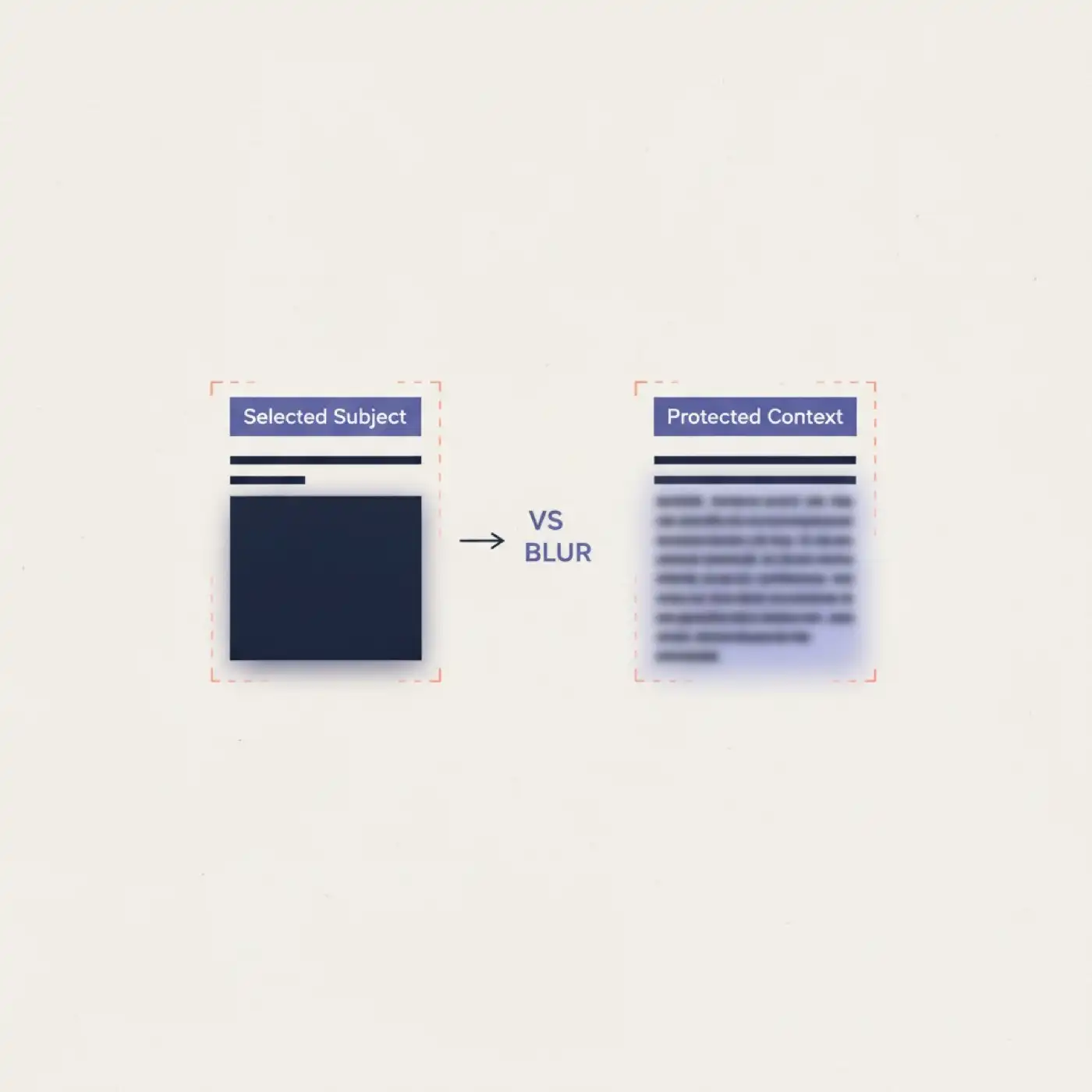
Blur is a soft visual treatment on a selected region. It can preserve motion and scene continuity while making a head, plate, screen, or document harder to read. Blur is not automatically a complete privacy release.
Blur works best when:
- the viewer still needs to understand movement or spatial context
- residual detail stays low during full-screen review
- a second reviewer can still see where protection was applied
Blur fails when the protected area fills the frame, sits near the lens, remains bright and sharp, repeats across many cuts, or sits next to other clear identifiers. A softened head still leaves risk if a badge, plate, screen text, document, or spoken name stays readable.
For plate-focused work, use how to blur license plates in videos as the practical companion guide. For release permanence, compare the result against irreversible video redaction techniques.
The Proceedings on Privacy Enhancing Technologies paper on image obfuscation is a useful reminder that visual treatments should be judged by re-identification risk, not by whether the edit looks finished. For European privacy framing, keep the official GDPR regulation text beside your local policy.
Tip:
Key point: Blur is one export effect. It is not a substitute for object review, audio review, or release documentation.
What is masking in a release workflow?
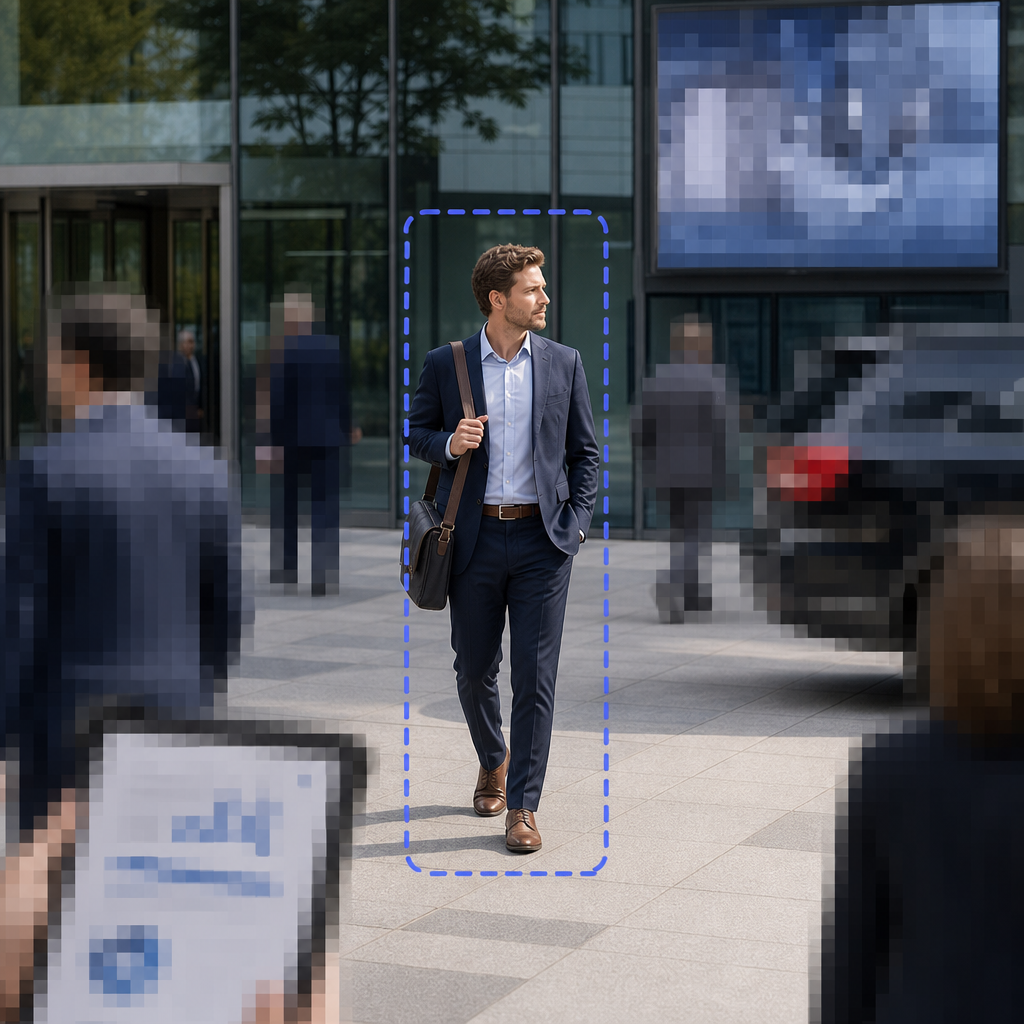
Masking is the broader family of visual covers that hide selected regions. Teams use the word for black boxes, solid fills, mosaic blocks, pixelation, outlines, or temporary on-screen overlays. In a release workflow, only permanent export treatments matter.
Stronger masking is usually safer when:
- the release is public or widely shared
- the object is close, high-contrast, or readable
- residual texture could still support re-identification
- a second reviewer needs an obvious protected region
Weaker masking can leave residual detail. Temporary editor overlays that never reach export are not release controls at all. Treat masking as a family of permanent visual covers, then choose the least revealing cover that still leaves the release purpose understandable.
After you choose blur or a stronger mask, you may still need a separate guide for keeping only one approved subject visible. See background vs object redaction. Use video redaction best practices for the broader review checklist. For a higher anonymisation bar, review the ICO guidance on effective anonymisation.
What makes redaction different from blur or masking?
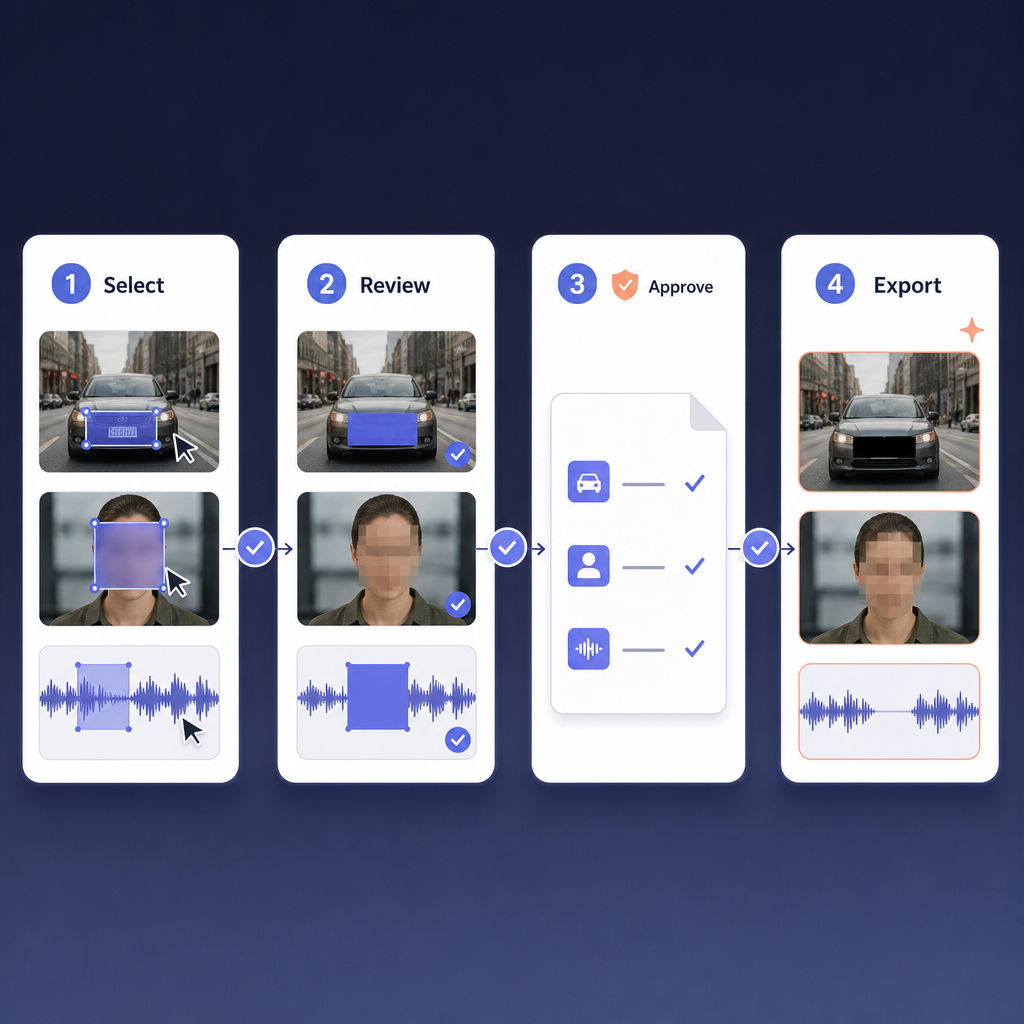
Redaction is the full release-control workflow. It includes deciding what must be protected, applying visual and audio treatments, reviewing the result, documenting the decision, and exporting a separate release copy. Blur and masking are tools inside that workflow, not replacements for it.
A complete redaction workflow usually includes:
- Confirm the source file, request purpose, and reviewer.
- Identify visual and audio details that should not be released.
- Apply detection and manual marking where needed.
- Choose permanent export treatments for each protected region.
- Review frames, transitions, reflections, screens, documents, plates, and audio.
- Export a separate release copy and keep custody notes with the record.
Redaction also covers audio. Spoken names, addresses, medical details, minor identifiers, and background radio traffic can re-identify someone even when the image looks safe. Audio redaction modes are Mute, Beep, and Scramble. Use them when spoken names, addresses, or other audio details would defeat a clean visual cover.
Custody still matters after the visual treatment is chosen. Keep the decision trail beside video and audio chain of custody so another reviewer can reconstruct who approved the release copy and why. For European surveillance framing, the EDPB video-device guidance is another useful external reference when people can be identified directly or indirectly.
Comparison at a glance
Blur softens, masking covers more aggressively, and redaction owns the full release process. Use this table when a requester uses the three terms interchangeably.
| Question | Blur | Masking | Redaction |
|---|---|---|---|
| What it is | Soft visual treatment | Family of stronger visual covers | Full protect-review-export workflow |
| Main job | Reduce readability while keeping some scene continuity | Hide selected regions more completely | Create a defensible release copy |
| Best when | Context must stay understandable and residual risk is low | Public release needs obvious, stronger cover | The team must protect, review, document, and export |
| Common failure | Residual detail remains at full-screen review | Temporary overlays never reach export | Missing objects, audio, or review notes |
| Release-copy status | One possible export effect | One possible family of export effects | The complete process that produces the release copy |
Release-copy decision matrix
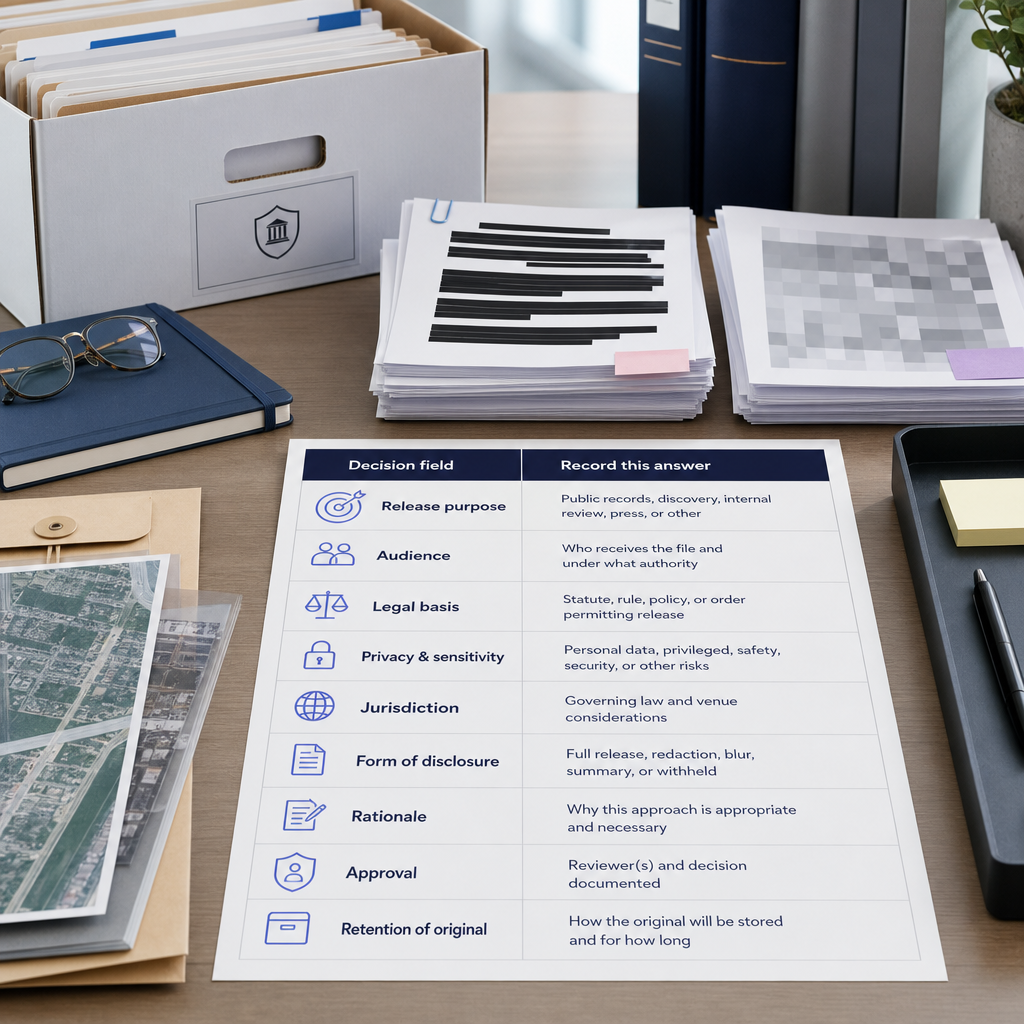
Use this matrix one row per file or segment. It is the original asset for this article: a practical way to map everyday language to permanent release decisions.
| Decision field | Record this answer |
|---|---|
| Release purpose | Public records, discovery, internal review, press, or other |
| Audience | Who receives the file and under what authority |
| Must-protect visual details | Heads, people, plates, vehicles, IDs, screens, documents, other |
| Must-protect audio details | Names, addresses, medical speech, minors, radio traffic, other |
| Everyday term used by requester | Blur, mask, black box, pixelate, redact, anonymise |
| Export treatment choice | Soft blur, stronger mask/fill, mixed treatments, or full workflow |
| Residual-detail check | Full-screen pass, pause on motion, check reflections and context |
| Audio check | Listen once without watching the picture |
| Custody notes | Reviewer, date, source file, release-copy filename, policy references |
Decision rules:
- If the requester says "just blur it," translate that into a residual-risk check before export.
- If the requester says "mask it," confirm whether they mean temporary overlay language or a permanent export cover.
- If the requester says "redact it," require the full protect-review-export workflow, not only a visual style.
- If residual detail remains after blur, move to a stronger mask or fill treatment.
- If audio can re-identify someone, protect sound even when the image already looks safe.
How Redactor helps
This section maps blur, masking, and redaction language onto the current Redactor editor so you can choose a permanent export treatment instead of a cosmetic edit.
Sighthound Redactor is AI-powered video, image, and audio redaction software.
Use Redactor Smart Redaction features for the product overview. Use Redactor documentation when you need the step-by-step editor path for a specific release copy.
In the Redactor editor, top controls include Auto Detect, Render & Export, and Close Video; panels include Objects, Audio, and Speech.
Those controls matter for this comparison because Auto Detect starts the candidate list, Objects holds the visual covers, Audio and Speech catch spoken exposure, and Render & Export is where blur or stronger masking becomes permanent.
Redactor Auto Detect offers seven object types in this UI order: Heads, People, License Plates, Vehicles, IDs, Screens, and Documents.
Redactor detects heads (not faces) — it does not identify individuals.
That distinction keeps the workflow on object protection for release copies, not identity matching.
Redactor combines Smart Redaction (AI auto-detection) with Custom Redaction (manual drawing tools).
Use Smart Redaction for the first pass when the requester says "blur the people." Use Custom Redaction when a badge, reflection, or partial plate still needs a hand-drawn zone.
Render & Export visual redaction types are Mosaic, Pixelate, Blur, Outline, Fill, and Smart Fill.
For redaction vs blur decisions, treat Blur as the soft option and treat Mosaic, Pixelate, Fill, or Smart Fill as stronger masking options. Outline is useful when reviewers need the protected zone itself to stay obvious during QA.
Render & Export visual redaction shapes are Rectangle and Ellipse.
Render & Export redaction intensity options are Low, Medium, and High.
Choose intensity only after a full-screen residual-detail check. A Low blur that still reads at full screen is not a finished release treatment.
Map requester language to export choices:
- "Blur it" becomes Blur after residual-detail review.
- "Mask it" usually becomes Mosaic, Pixelate, Fill, or Smart Fill.
- "Redact it" means detection, manual review, audio treatment when needed, and a separate Render & Export copy.
Redactor supports bodycam, CCTV, dashcam, mobile-phone, and screen-capture footage.
Redactor is used to prepare footage for FOIA release, subpoena response, discovery, and public-records disclosure.
Redactor runs on Windows, Linux, and Docker.
Redactor deploys as desktop, client-server, embedded UI, white-label, on-premise, offline, or air-gapped.
Redactor runs fully offline and supports air-gapped deployment; no internet access is required for processing.
If reviewers need a visual walkthrough before testing files, use the Redactor demo video.
When should you choose blur, masking, or full redaction?
Choose blur when the release still needs scene continuity and residual-detail risk stays low after full-screen review. Choose stronger masking when public disclosure, close objects, readable text, or high re-identification risk makes soft blur insufficient. Choose the full redaction workflow whenever the file will leave your controlled environment and the team must defend what was protected, what remained visible, and how the release copy was created.
A practical default for evidence and public-records teams is simple: start from the full redaction workflow, then select blur or stronger masking as the export treatment inside that workflow. Do not start from a cosmetic edit and hope the release holds up later.
Key Takeaways
- Blur is one visual treatment, not a complete release guarantee.
- Masking is a broader family of permanent visual covers, not a temporary overlay.
- Redaction is the protect-review-export workflow that creates a separate release copy.
- Choose treatments by residual-detail risk, release purpose, and audio exposure.
- Map everyday language to permanent export settings and keep custody notes with the record.
FAQ
1. Is blur the same as redaction?
No. Blur is one possible visual treatment. Redaction is the broader workflow that includes scope decisions, object and audio review, permanent export treatments, and a separate release copy.
2. Is masking stronger than blur?
Often yes, but only when the mask is a permanent export treatment such as mosaic, pixelate, fill, or another strong cover. Temporary on-screen overlays that never reach export are not release controls.
3. Can a release still fail after strong masking?
Yes. Missed objects, readable screens, documents, plates, reflections, context clues, or unprotected audio can still re-identify someone.
4. Does Redactor identify people?
No. Head detection does not identify individuals. Reviewers still need a human pass because identity risk can come from context as well as visible features.
5. What should the final export check include?
Play the marked segment, pause on fast motion and overlaps, confirm audio treatment, check screens and documents, and save reviewer notes with the release-copy filename.
Legal Disclaimer
Redactor is tooling; compliance is the customer's responsibility, and Sighthound content is informational and not legal advice. Consult qualified counsel and your records authority before making release, withholding, retention, or evidence-handling decisions.
Sources
- DOJ video-redaction best practices
- Freedom of Information Act, 5 U.S.C. § 552
- DOJ Guide to FOIA Exemption 6
- NIST de-identification of personal information
- ICO guidance on effective anonymisation
Related reading
- Privacy-compliant video redaction for law enforcement
- Irreversible video redaction techniques
- How to blur license plates in videos
What to do next
Published on: