US privacy laws review should start with the data, the person connected to it, and the reason for sharing it.


By:
Haris Rana7
min read
Last Updated:
May 21, 2026
Share this article
TL;DR
Build a privacy review map before sharing video, images, audio, or documents. Treat consumer data privacy as both a legal issue and an operational workflow. Use official state and federal sources when reviewing California Consumer Privacy Act and California Privacy Rights Act (CCPA/CPRA) questions. Redactor is AI powered video, image, and audio redaction software. Keep counsel involved before final release decisions.
Privacy work gets hard when policy, media review, and release deadlines meet in one queue. A clear 2026 process helps teams find personally identifiable information (PII), apply redaction, and share files with less avoidable exposure. This guide gives operators a practical way to organize US privacy laws review, state privacy laws tracking, and media redaction work.
Quick summary
TL;DR
1
Build a privacy review map before sharing video, images, audio, or documents.
2
Treat consumer data privacy as both a legal issue and an operational workflow.
3
Use official state and federal sources when reviewing California Consumer Privacy Act and California Privacy Rights Act (CCPA/CPRA) questions.
4
Redactor is AI-powered video, image, and audio redaction software.
5
Keep counsel involved before final release decisions.
Reader takeaways
Key Takeaways
PII redaction needs repeatable steps, especially when evidence, records, or customer media move outside the organization.
Official regulator and statute pages should sit in the same checklist as internal policy.
Redaction tooling supports review, but it does not replace legal judgment.
What are US privacy laws trying to control?
US privacy laws are easier to manage when the team starts with a simple question: what personal data appears in the file, system, request, or export? That question keeps the review grounded in the data itself. It also helps separate broad policy work from the narrower task of preparing a shareable record.
Consumer data privacy work often covers requests, disclosures, retention choices, and internal handling. Media adds another layer. A video frame can contain people, license plates, screens, documents, badges, or other identifiers that need review before release. The same risk can exist in an image, an audio clip, or a document attached to a case file.
A practical program should connect legal intake with file handling. Counsel can define the duty. Operations can define the steps. Reviewers can then mark what stays visible, what gets obscured, and what needs escalation before export.
Use official sources early in the workflow. For California questions, start with the California Attorney General CCPA page. For broader business privacy and security guidance, keep the Federal Trade Commission privacy and security guidance in the review packet.
Which state privacy laws should operators track first?
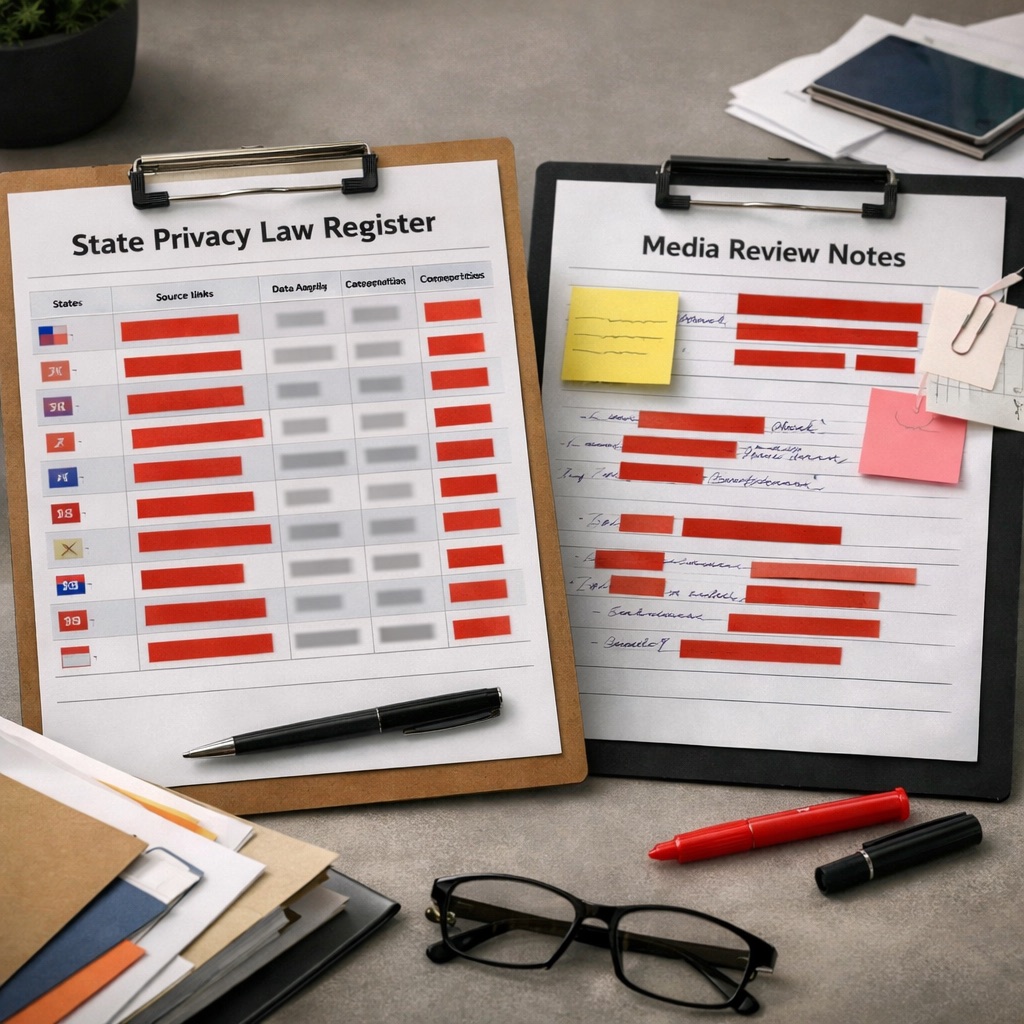
State privacy laws should be tracked through an owned register. The register can list each jurisdiction, the source link, the covered data type, the internal owner, and the review date. That structure avoids scattered bookmarks and lets your team see which files need privacy review before disclosure.
Start with the jurisdictions that affect current operations. Then add a standing review cycle. The goal is not to memorize every statute. The goal is to route each request to the correct source, policy owner, and redaction workflow before a file leaves controlled storage.
For Virginia, keep the Virginia Consumer Data Protection Act code text in the register. For Colorado, add the Colorado SB21-190 bill page. For Connecticut, add the Connecticut Data Privacy Act page.
A useful register should also point reviewers to internal instructions. Link the policy, the data map, the media handling procedure, and the redaction standard. If the request includes video, include a short explainer on what video redaction means so non-specialist reviewers understand the task before they touch the file.
How should teams approach PII redaction for privacy compliance?
PII redaction works best as a file preparation process, not a final-minute edit. First, identify the file category. Then decide who may appear in the file, what identifiers may be present, and what legal or business purpose supports disclosure. This keeps review decisions tied to the request.
Media review should include visible identifiers and contextual identifiers. A person's head or body is not the only issue. Screens, documents, IDs, uniforms, vehicle plates, and background materials can all create privacy questions. Reviewers should pause when the same file contains multiple data types.
A short checklist helps keep review consistent:
1. Record the request type and review owner.
2. Identify every media file in scope.
3. Mark likely PII before editing.
4. Escalate unclear legal questions.
5. Apply redaction to approved targets.
6. Check the output before release.
7. Store the review notes with the matter.
For deeper process guidance, pair this guide with PII redaction for privacy compliance. That workflow helps reviewers connect privacy obligations to specific redaction decisions before export.
What workflow reduces exposure before sharing media?
A privacy-safe media workflow should make every release traceable. The record should show what was requested, who reviewed it, what was redacted, and which output was shared. This matters when files move between legal, operations, customer support, security, or public records teams.
Keep the process short enough to follow under time pressure. A complicated workflow invites skipped steps. A better approach uses fixed checkpoints: intake, source preservation, duplicate working copy, redaction pass, quality check, approval, export, and storage.
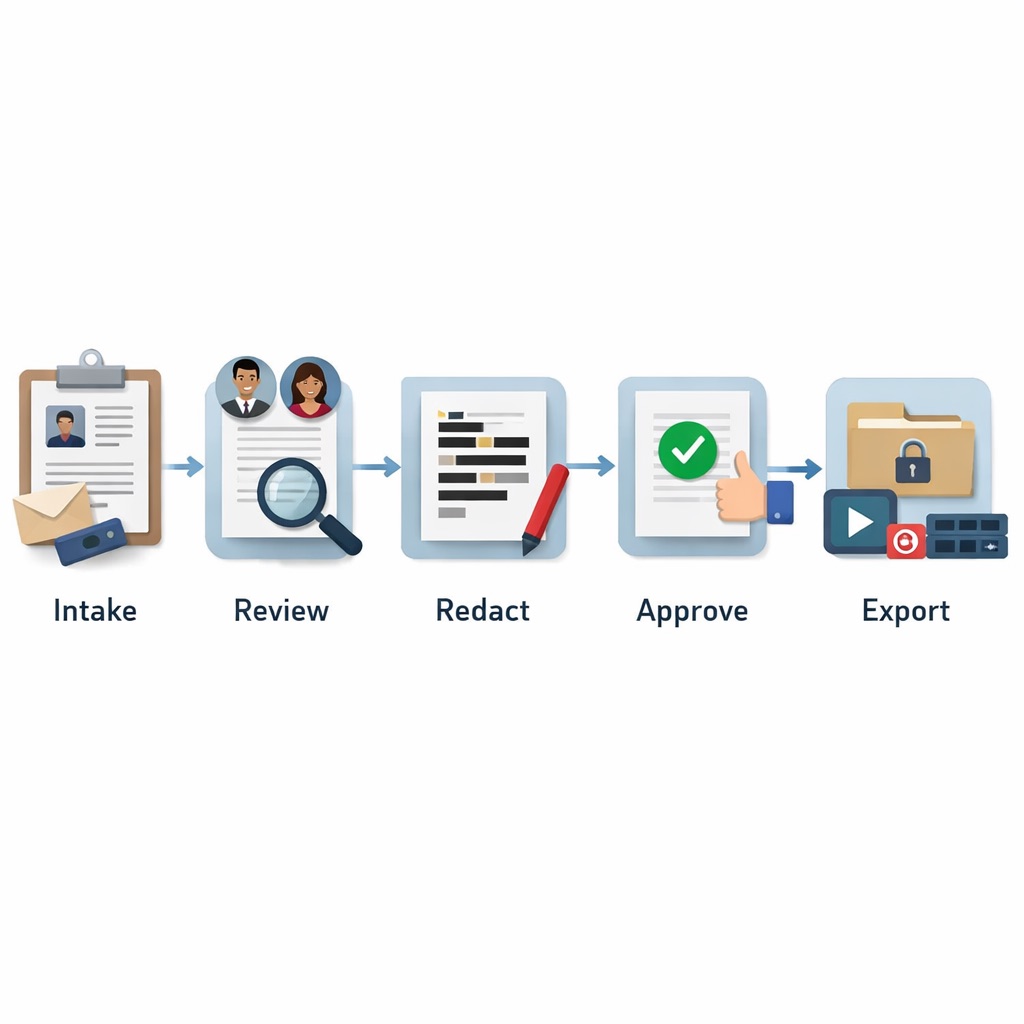
Use this worked example for a routine video request:
1. Save the original file in the approved location.
2. Create a working copy for review.
3. List visible identifiers in the first pass.
4. Flag frames that need legal input.
5. Redact only the approved objects.
6. Review the output from start to finish.
7. Export the final file and log the decision.
The same pattern can support images and audio. The key is separation. Preserve the original. Edit the working copy. Review the export. Document the reason. That sequence gives your team a clean handoff between legal judgment and operational execution.
For controlled environments, Redactor runs fully offline and supports air-gapped deployment; no internet access is required for processing.
How Redactor helps
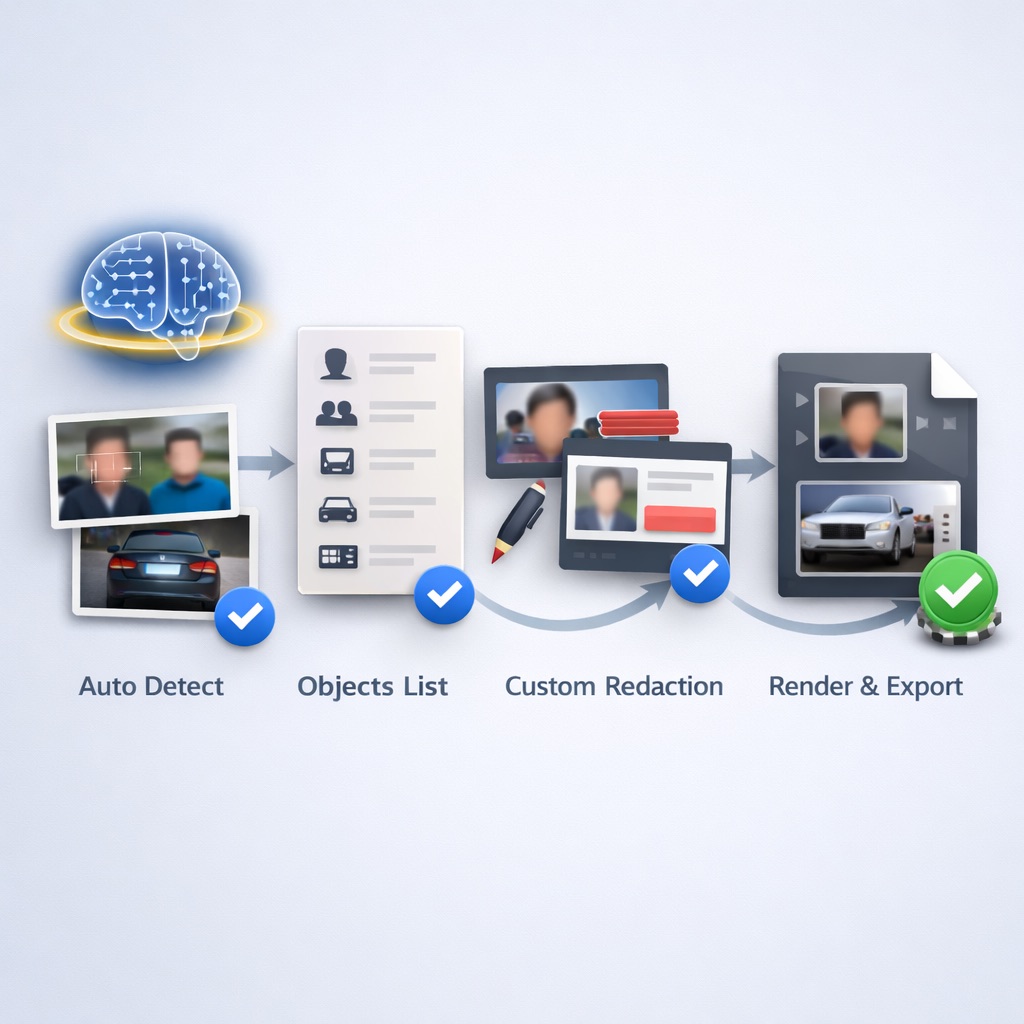
A basic Redactor workflow can stay short:
1. Open the working copy in Redactor.
2. Choose Auto Detect.
3. Select the needed object types.
4. Select Submit.
5. Review matches in the Objects list.
6. Add Custom Redaction where needed.
7. Use Render & Export for the final output.
For large review queues, Redactor processes hundreds or thousands of files in a single bulk workflow. Redactor offers a 24-hour free trial with full feature access and no credit card required. If your team needs a hands-on test, use the 24-hour Redactor free trial with sample files that reflect real review conditions.
Important note
Legal Disclaimer
Redactor is tooling; compliance is the customer's responsibility, and Sighthound content is informational and not legal advice. Consult qualified counsel before relying on any privacy-law interpretation, disclosure decision, retention policy, or release workflow.
Reference links
Sources
Source 1
California Attorney General CCPA page
oag.ca.gov
Source 2
Federal Trade Commission privacy and security guidance
ftc.gov
Source 3
Virginia Consumer Data Protection Act code text
law.lis.virginia.gov
Source 4
Colorado SB21-190 bill page
leg.colorado.gov
Source 5
Connecticut Data Privacy Act page
portal.ct.gov
Helpful answers
FAQs
1. What is the first step in reviewing US privacy laws for a media request?
Start with the file and the request. Identify the media type, the people or identifiers that appear, and the reason the file may be shared. Then route legal questions to counsel before redaction or export.
2. Does redaction software decide whether a disclosure is lawful?
No. Redaction software helps prepare files for review and release. Legal teams still need to decide what law, policy, request, or exception applies before sharing the file.
3. What object types can Redactor Auto Detect review?
Redactor Auto Detect offers Heads, People, License Plates, Vehicles, IDs, Screens, and Documents in that UI order.
4. Can Redactor support offline privacy workflows?
Yes. Redactor runs fully offline and supports air-gapped deployment; no internet access is required for processing.
5. Why does PII redaction matter for consumer data privacy?
PII redaction helps reduce visible or audible identifiers before a file leaves controlled review. It should be paired with policy, counsel review, source preservation, and output checking.
What to do next
Published on:
October 17, 2022