
By:
Haris RanaLast Updated:
TL;DR
For evidence teams, video redaction is the release-control workflow that protects sensitive visual or audio details while keeping enough surrounding context for review, disclosure, or public-records response. The goal is not to edit for presentation. The goal is to prepare a release copy that reviewers can defend.
This guide explains what to protect, how to structure review, and where software fits in the handoff from intake to export.
TL;DR
- Treat video redaction as a release-copy workflow, not a cosmetic edit.
- Decide what must stay visible, what must be protected, and who signs off.
- Review visual objects and audio separately because each creates different exposure.
- Redactor is AI-powered video, image, and audio redaction software.
- Keep legal, records, and custody notes outside the export step so reviewers can audit the decision.
What is video redaction?
Video redaction is a release-control step, not only an editing task. For a plain-language definition, read what redaction means before applying the concept to moving images, sound, and surrounding scene context.
A practical definition is simple: the review team creates a separate copy for disclosure, then protects details that should not appear or be heard in that copy. That may involve people, vehicles, documents, screens, voices, background speech, or other case-specific details.
Use policy before tools. The DOJ video-redaction best practices can sit beside your local checklist during public-release planning.
Key point: The federal Freedom of Information Act includes exemptions that can protect personal privacy and law enforcement records.
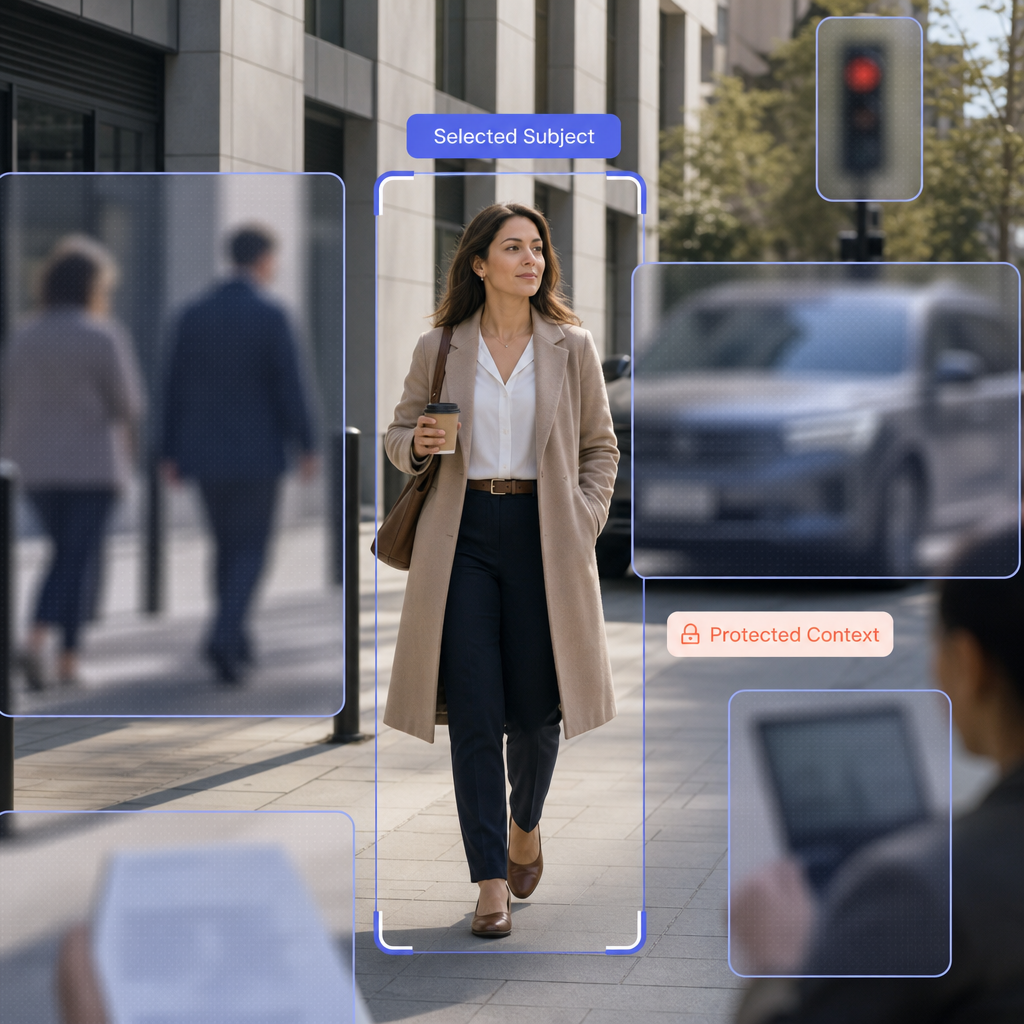
Good redaction also preserves useful context. A reviewer may need the location, event sequence, officer movement, or subject interaction to remain understandable. The task is to protect sensitive detail without destroying the reason the footage is being shared.
Why does a release copy need a worksheet?
A worksheet turns a hard privacy call into repeatable review decisions. It gives records, legal, and evidence teams a shared place to record scope before anyone exports a file.
Start with the release purpose. A public-records disclosure, discovery production, subpoena response, and internal review can require different visibility decisions. Redactor is used to prepare footage for Freedom of Information Act (FOIA) release, subpoena response, discovery, and public-records disclosure.
Map each proposed withholding or protection choice to the governing review source. For federal requests, keep the Freedom of Information Act statute and the DOJ guide to FOIA Exemption 6 close to the worksheet. The federal Freedom of Information Act includes exemptions that can protect personal privacy and law enforcement records. Use the Freedom of Information Act statute again during final legal review.
The worksheet should also route special files to the right reviewer. Redactor is deployed in workflows governed by FOIA, Criminal Justice Information Services (CJIS), Health Insurance Portability and Accountability Act (HIPAA), General Data Protection Regulation (GDPR), California Consumer Privacy Act (CCPA), California Privacy Rights Act (CPRA), Virginia Consumer Data Protection Act (VCDPA), Colorado Privacy Act (CPA), Connecticut Data Privacy Act (CTDPA), Utah Consumer Privacy Act (UCPA), Biometric Information Privacy Act (BIPA), and Family Educational Rights and Privacy Act (FERPA). Keep the FERPA policy information linked from the review packet when that regime affects the release. Review the HIPAA privacy materials when health information is involved. Check the official GDPR regulation when European privacy rules apply.
Use the worksheet to capture five decisions:
- Name the release purpose and reviewer.
- List visual details to protect.
- List audio details to protect.
- Mark legal or policy references.
- Record export settings and custody notes.
This refresh includes a first-hand release-copy decision worksheet for evidence teams. It translates documented editor controls into an evidence-team checklist.
What should reviewers verify before export?
Reviewers should verify scope, visual coverage, audio treatment, and custody notes before export. The final minutes before rendering are where many release mistakes become permanent.
First, confirm the scope. Match the file name, source record, request language, and release purpose. Then check whether your team has already documented custody steps in a separate evidence record. For custody planning, compare the worksheet with video and audio chain of custody and the National Institute of Justice (NIJ) chain-of-custody training reference.
Second, separate the edit from the record. The original file should remain the evidentiary source, while the release copy carries the protected version. Use irreversible video redaction techniques as the review lens when the shared copy must not expose protected details.
Third, add a human pass after automated review. Automation can accelerate detection, but the reviewer still owns the release decision. Your checklist should include playback review, paused-frame review at complex moments, audio review, and a final signoff step.
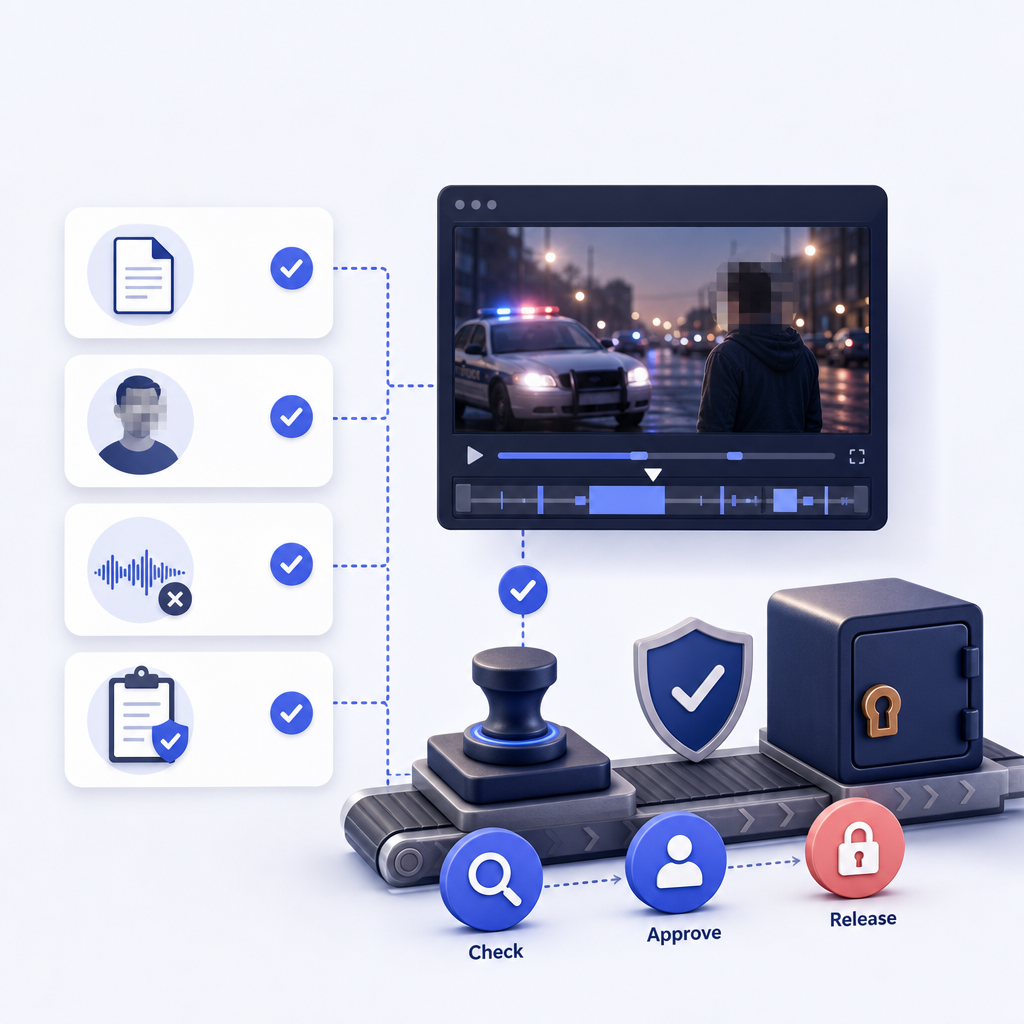
Use this short pre-export check:
- Play the full marked segment.
- Pause where people overlap or objects move fast.
- Confirm the audio treatment.
- Check screens, mirrors, papers, and background details.
- Save the worksheet with the release record.
How do visual and audio redactions differ?
Visual review protects what can be seen; audio review protects what can be heard. Evidence teams should review both tracks before deciding that a release copy is safe.
Visual exposure often comes from obvious details first. Heads, bodies, vehicles, plates, screens, documents, clothing, and location context may all matter depending on the request. For specific plate workflows, use how to blur license plates in videos as a focused companion guide.
Audio exposure is different. Names, addresses, medical statements, minor identifiers, witness details, and background radio traffic can create risk even when the image looks safe. The deeper guide to audio redaction software can help teams separate transcript review from sound treatment.
Key point: Audio redaction modes are Mute, Beep, and Scramble.
A useful reviewer habit is to test the release copy without relying on memory of the original. Watch it once for visible details. Then listen once with eyes away from the screen. That split review often catches information that a combined pass misses.
How Redactor helps
Redactor supports the review-to-release workflow across video, image, and audio redaction. Evidence teams can start with the product overview at Redactor Smart Redaction features, then use Redactor documentation when they need editor-level workflow detail.
In the Redactor editor, top controls include Auto Detect, Render & Export, and Close Video; panels include Objects, Audio, and Speech. Auto Detect offers seven object types in this UI order: Heads, People, License Plates, Vehicles, IDs, Screens, and Documents. Redactor detects heads, not faces, and does not identify individuals.
Redactor combines Smart Redaction, which provides artificial intelligence auto-detection, with Custom Redaction, which provides manual drawing tools. For technical background on detection and review, pair the worksheet with how AI video redaction works. Use video redaction best practices as a separate review reference.
Render & Export visual redaction types are Mosaic, Pixelate, Blur, Outline, Fill, and Smart Fill. Render & Export visual redaction shapes are Rectangle and Ellipse. Render & Export redaction intensity options are Low, Medium, and High.
Key point: Redactor Auto Detect offers Heads, People, License Plates, Vehicles, IDs, Screens, and Documents.
Deployment and file handling also matter for evidence teams. Redactor runs on Windows, Linux, and Docker. Redactor deploys as desktop, client-server, embedded UI, white-label, on-premise, offline, or air-gapped. Redactor runs fully offline and supports air-gapped deployment; no internet access is required for processing.
Redactor supports bodycam, CCTV, dashcam, mobile-phone, and screen-capture footage. Redactor processes hundreds or thousands of files in a single bulk workflow. If your team needs a visual walkthrough before testing files, the Redactor demo video can help reviewers align on the editor flow.
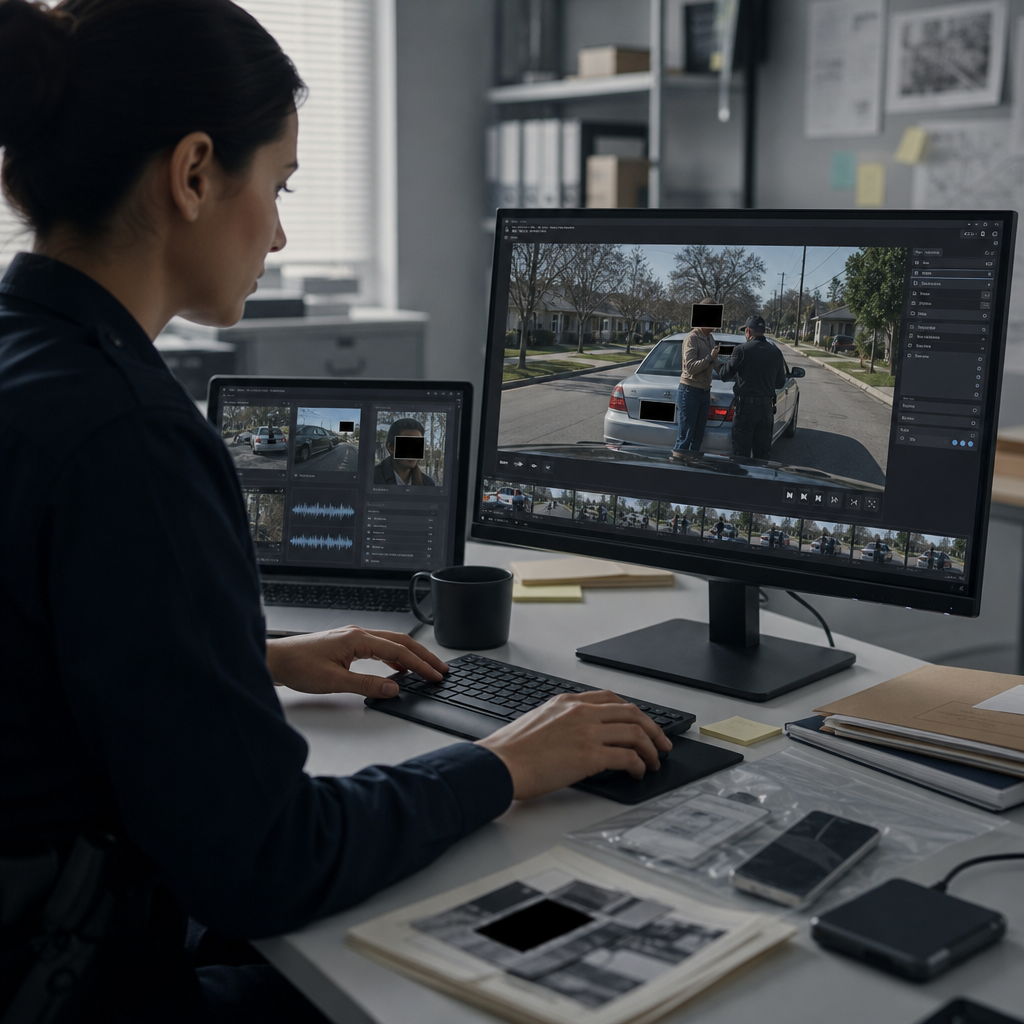
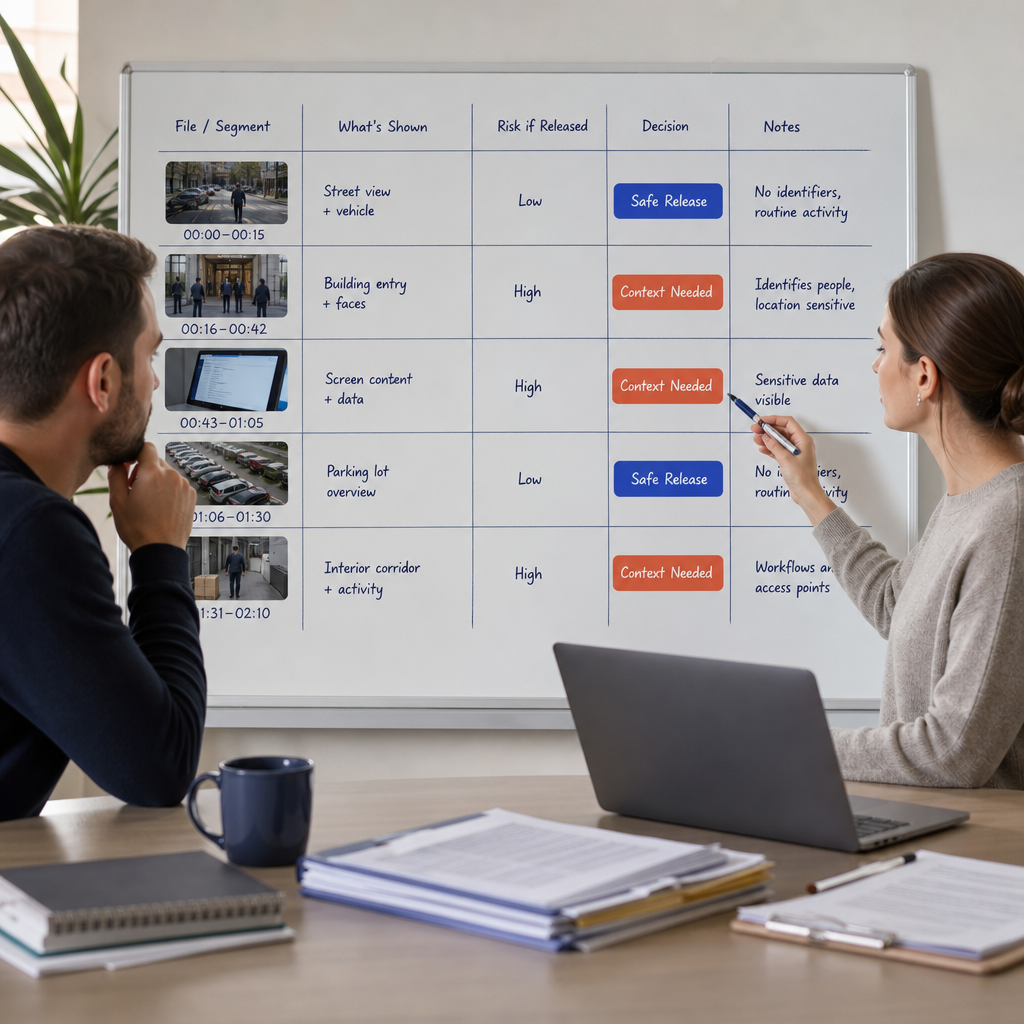
Release-copy decision worksheet
A release-copy worksheet should make the reviewer’s judgment visible. It does not replace counsel, policy, or evidence management, but it keeps the export decision from living only in someone’s memory.
Use one row per file or segment. Keep the language short enough for repeat use, and avoid turning the worksheet into a legal memo. The worksheet should answer who reviewed the file, why it was released, what was protected, what remained visible, and which export choices created the release copy.
A compact worksheet can use these fields:
- Record the file ID and source location.
- State the request or disclosure purpose.
- List required visual protections.
- List required audio protections.
- Note policy, court, or public-records references.
- Confirm human review after detection.
- Record Render & Export settings.
- Save the release-copy filename and reviewer signoff.
For law-enforcement and public-sector releases, connect the worksheet to privacy-compliant video redaction. That keeps privacy review, export settings, and final disclosure separate from the original evidence file.
Key Takeaways
- Video redaction works best when teams treat it as a release-copy decision.
- Visual and audio review need separate checks before export.
- A worksheet helps records, legal, and evidence roles share the same scope.
- Redactor provides editor controls for detection, manual redaction, and export.
- Keep compliance decisions with the reviewing team.
FAQ
1. What is video redaction in plain terms?
It is the process of preparing a shareable copy of footage by protecting details that should not appear or be heard. The reviewer decides what the release copy may show, what must be hidden, and what context needs to remain understandable.
2. Is video redaction the same as blurring?
No. Blurring is one possible visual treatment. A full redaction workflow can also include object review, manual marking, audio treatment, export checks, and release documentation.
3. Does Redactor identify people?
No. Redactor detects heads, not faces, and does not identify individuals. Reviewers should still confirm the release copy because identity risk can come from context as well as visible features.
4. Do evidence teams still need human review?
Yes. A human reviewer should confirm scope, protected details, audio treatment, and export settings before release. The worksheet gives that reviewer a short record of the decision.
5. Can Redactor be used for public-records release work?
Yes. Redactor is used to prepare footage for FOIA release, subpoena response, discovery, and public-records disclosure.
Legal Disclaimer
Redactor is tooling; compliance is the customer's responsibility, and Sighthound content is informational and not legal advice. Consult qualified counsel and your records authority before making release, withholding, retention, or evidence-handling decisions.
Sources
- DOJ video-redaction best practices
- Freedom of Information Act, 5 U.S.C. § 552
- DOJ Guide to FOIA Exemption 6
- NIJ chain-of-custody training reference
- Redactor documentation
Related reading
What to do next
Published on: