
By:
Haris RanaLast Updated:
TL;DR
AI video redaction uses computer vision to detect, track, and obscure sensitive elements like heads, license plates, IDs, and screens across footage. Tools like Sighthound Redactor combine automated detection with manual review, plus audio redaction, to help teams meet FOIA, GDPR, and CJIS requirements faster. The next wave is expanding detection categories, improving audio intelligence, and shifting processing to edge and on-prem environments.
Key takeaways
- AI video redaction replaces frame-by-frame editing with automated detection and tracking across entire clips.
- The workflow typically includes ingestion, detection, review, and export, with human oversight still required.
- Audio redaction is now critical, with tools detecting names, addresses, and sensitive speech for muting or scrambling.
- Compliance pressure from FOIA, GDPR, HIPAA, and CJIS is the main driver behind adoption.
- Modern tools are expanding beyond faces to include IDs, screens, and documents.
- Edge and on-prem deployments are becoming standard for privacy-sensitive workflows.
- The best systems balance automation with control, not one or the other.
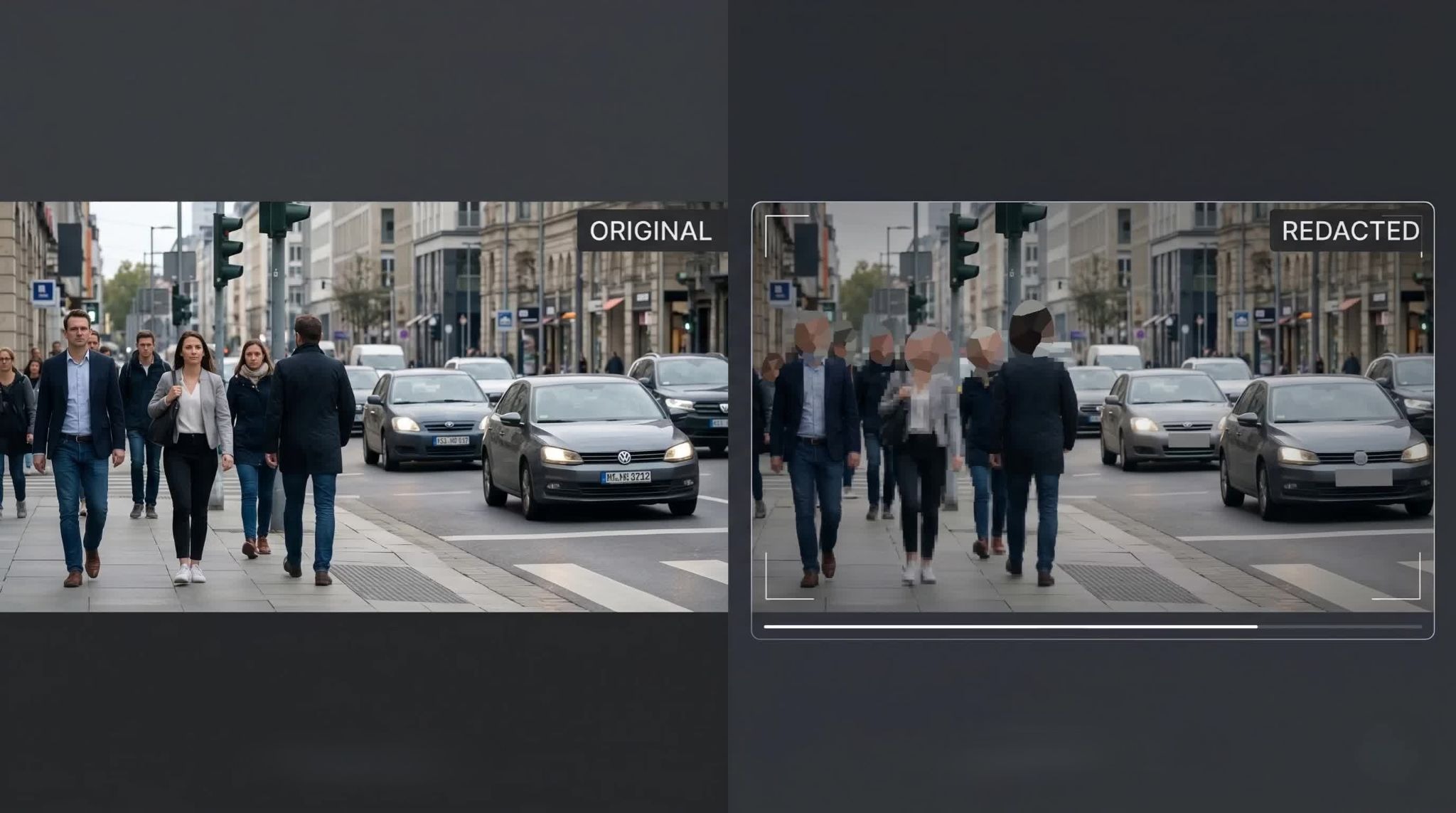
AI video redaction is the process of identifying and permanently obscuring sensitive information in video, image, or audio files using computer vision models.
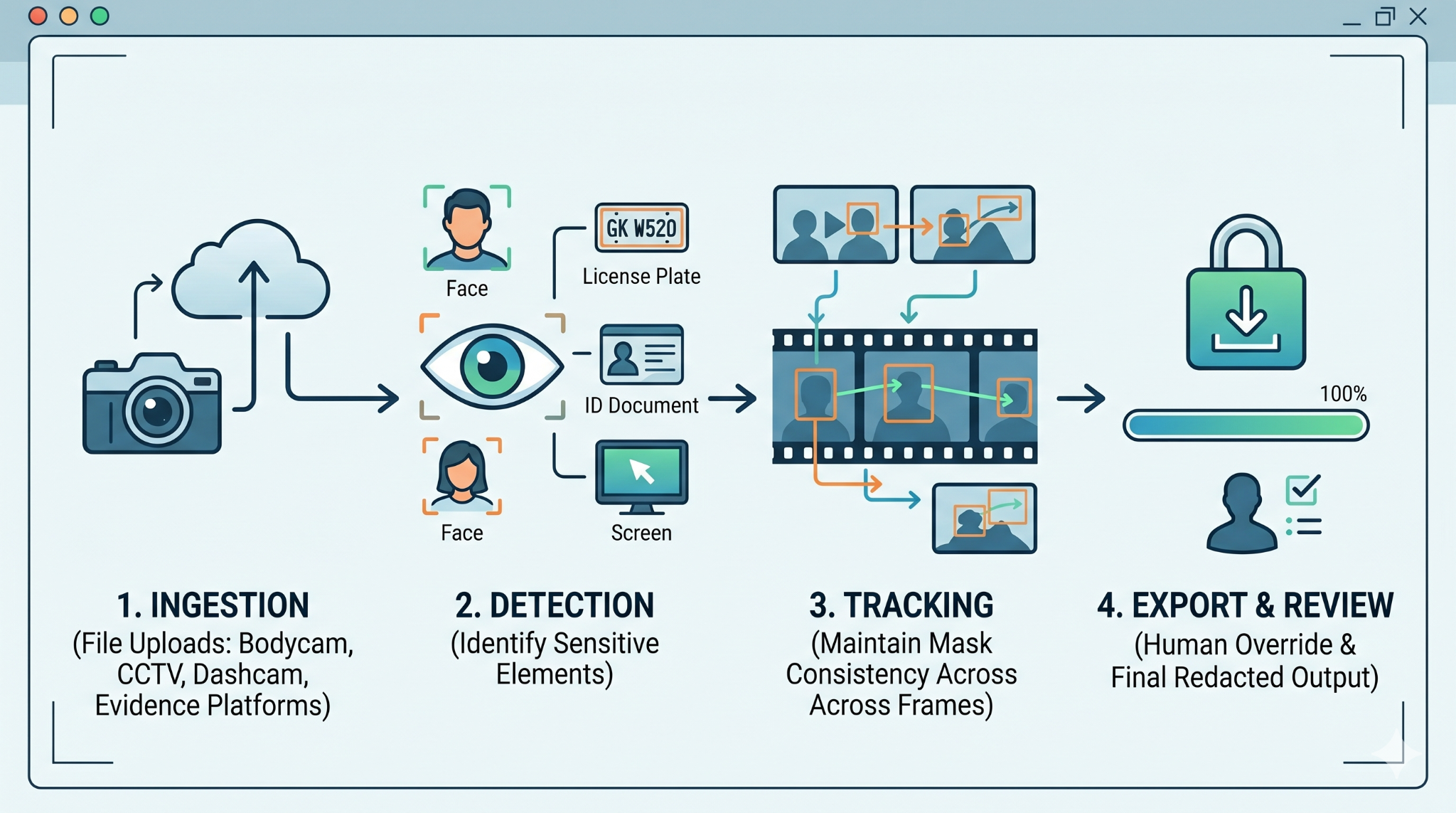
At a high level, the system follows a simple pipeline:
Video -> Detection -> Tracking -> Redaction -> Export
That model is consistent across most platforms, including Sighthound Redactor, which detects and redacts heads, people, vehicles, license plates, IDs, screens, and documents.
What changes is how accurate, scalable, and controllable each step is.
What happens when footage enters a redaction system
Everything starts with ingestion.
Teams upload footage from body cameras, CCTV systems, dashcams, or evidence platforms. The system needs to handle multiple formats, including standard files like MP4 and more complex CCTV exports.
This is where many workflows break early. If the tool cannot reliably open or process footage, everything downstream slows down.
Modern systems aim to normalize this step so operators spend zero time converting files manually.
How does AI detect sensitive information in video
Once the footage is loaded, AI models scan each frame to identify sensitive elements.
These typically include:
- Heads and people
- License plates
- Vehicles
- IDs and documents
- Screens and devices
Detection is not about identifying who someone is. It is about locating what needs to be hidden. That distinction matters for compliance and legal positioning.
Detection models rely on trained datasets and pattern recognition. Accuracy depends heavily on real-world conditions like lighting, motion, and camera angle.
A weak detection model creates two problems:
- Missed objects (risk)
- False positives (extra work)
Good systems let users tune detection sensitivity so they can balance both.
Why tracking matters more than detection
Detection alone is not enough.
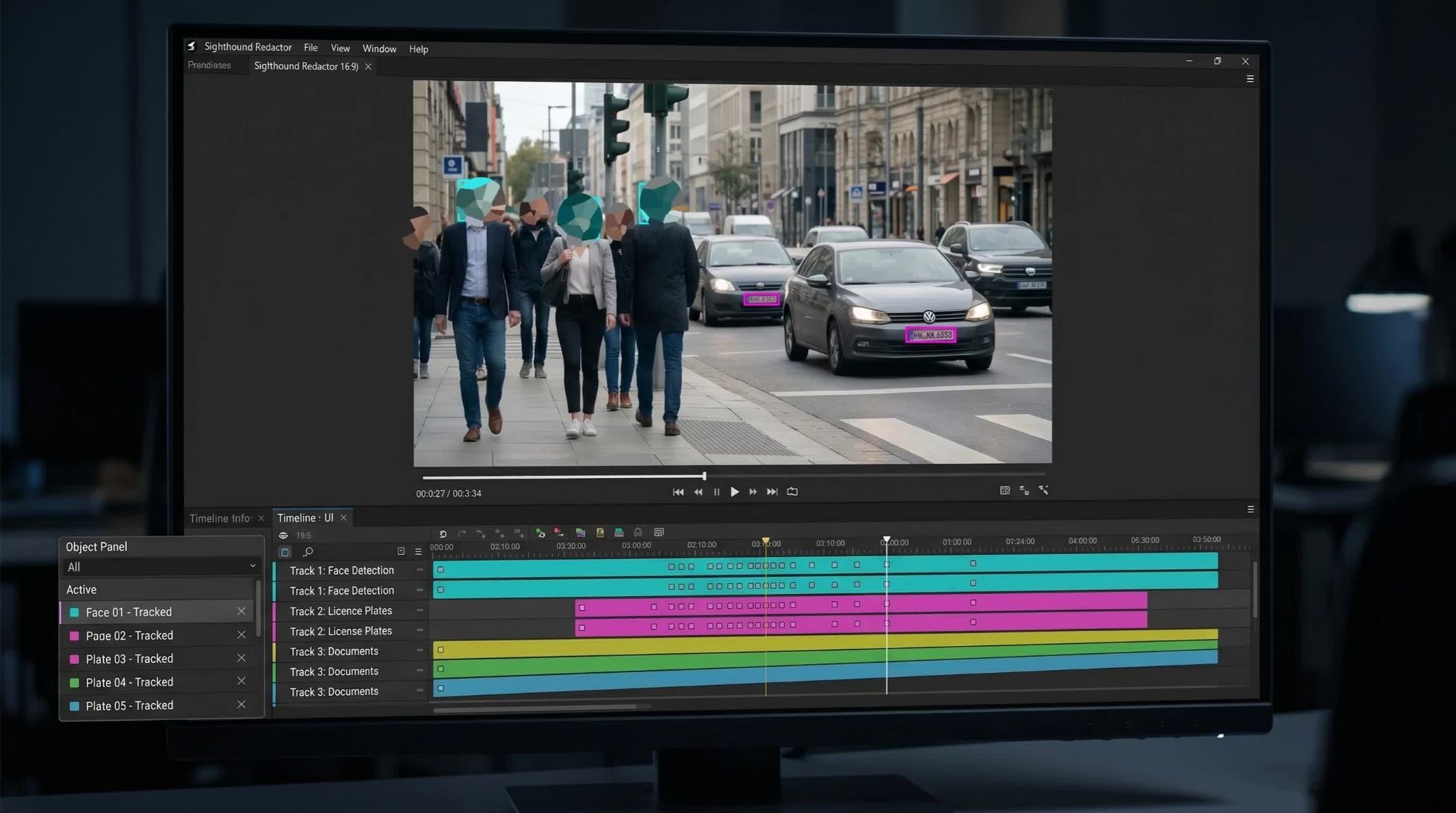
Once an object is found, the system must track it across frames so the redaction stays locked onto the subject.
This is where many tools struggle.
Common issues include:
- Losing track when objects overlap
- Failing when subjects leave and re-enter the frame
- Inconsistent mask placement
Strong tracking reduces manual correction time dramatically. Weak tracking turns automation into extra work.
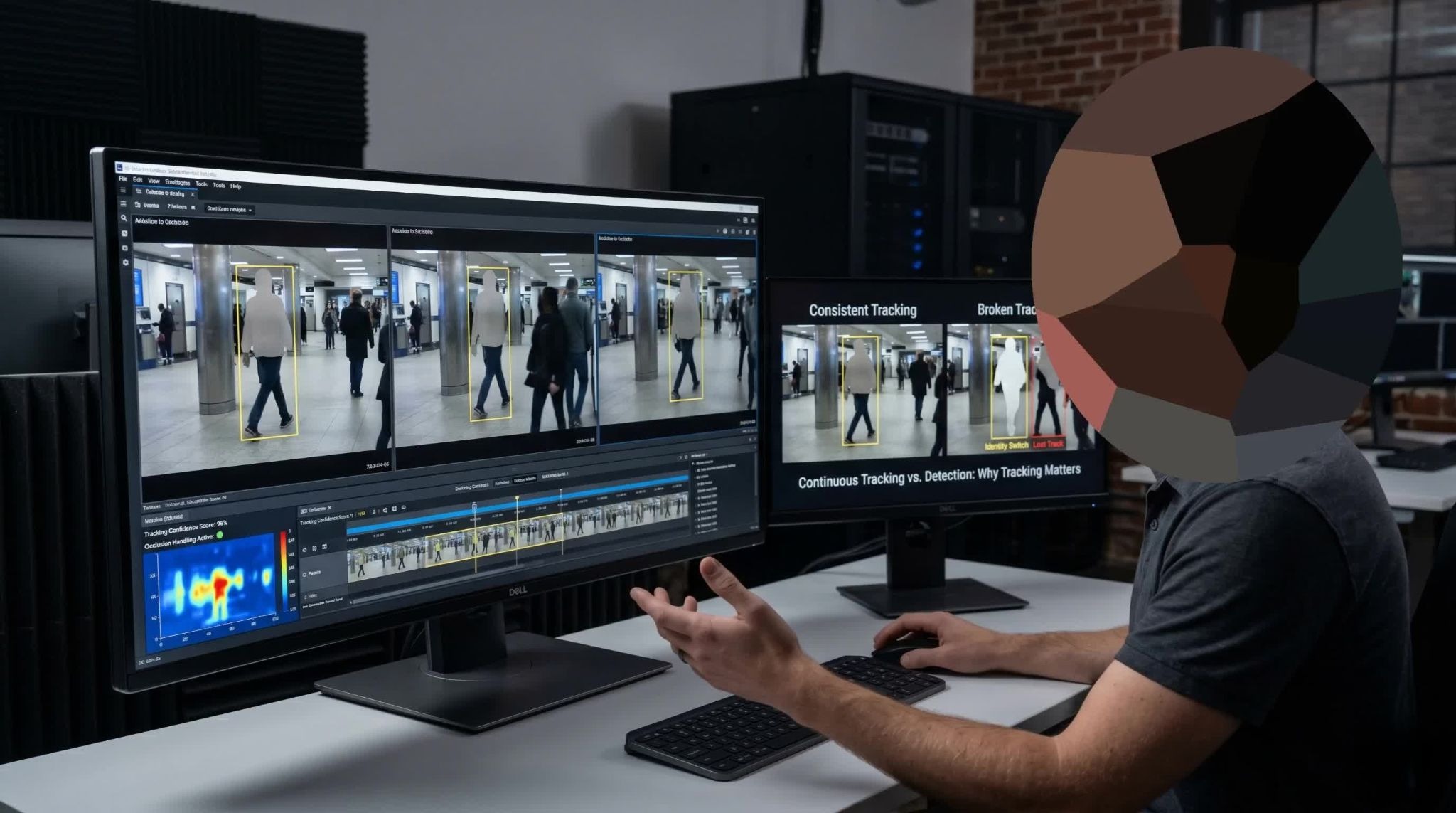
This is why redaction tools are not just detection engines. They are tracking systems first.
What does the human review step actually involve
Even the best AI does not replace human review.
Operators still need to:
- Confirm detections
- Fix missed objects
- Remove false positives
- Adjust redaction shapes or timing
This is not a flaw. It is by design.
Sighthound Redactor follows a human-in-the-loop model, where automated detection handles the bulk of the work and manual tools handle edge cases .
The goal is not full automation. The goal is removing 80 to 95 percent of the workload so review becomes manageable.
How audio redaction works alongside video
Video is only half the problem.
Audio often contains just as much sensitive information, including:
- Names
- Addresses
- Phone numbers
- Financial details
Modern systems convert speech to text, detect sensitive phrases, and apply redaction.
Typical options include:
- Muting
- Beeping
- Scrambling
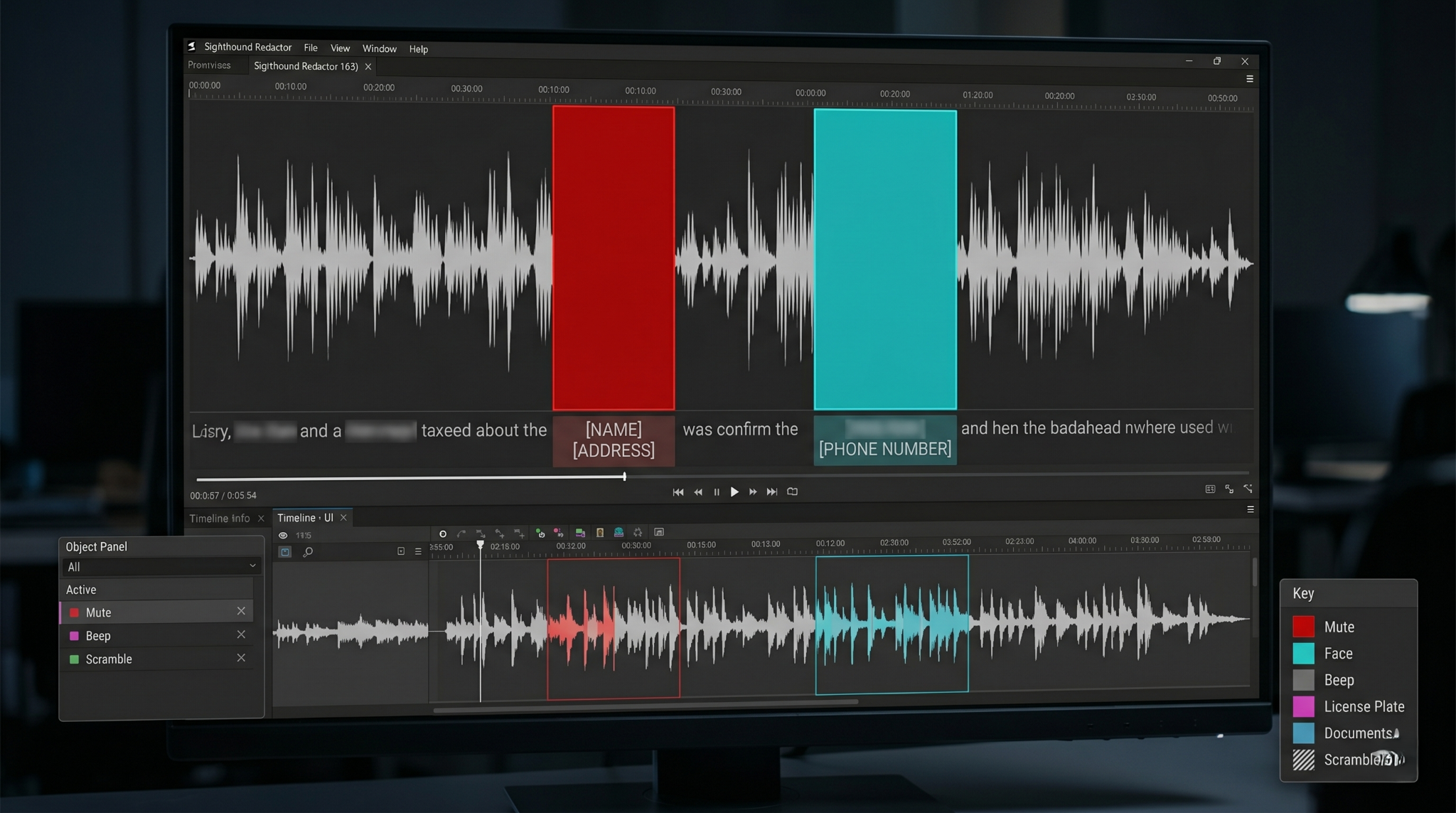
Sighthound Redactor supports all three, allowing teams to choose based on policy or legal requirements.
es are actively masked, alongside a multi-track timeline and object tracking panel
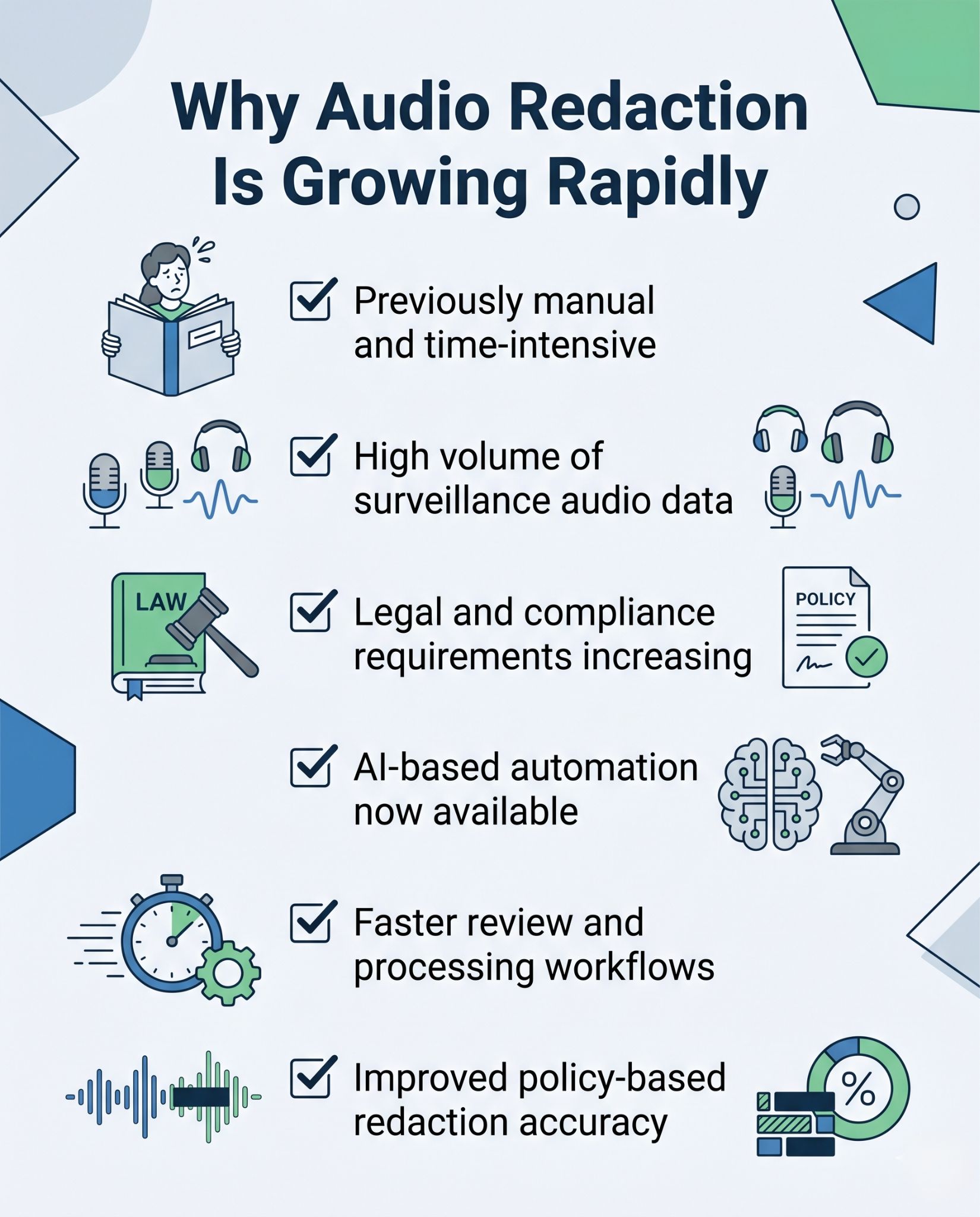
Audio redaction is one of the fastest-moving areas right now because it was historically manual and time-intensive.
What happens during export and final delivery
After review, the system generates a redacted output file.
Key requirements at this stage:
- The original file must remain unchanged
- Redactions must be permanent
- Output must be usable in legal or public release contexts
Some systems also support batch export, allowing teams to process large volumes of footage at once.
This is critical for environments like:
- FOIA requests
- Legal discovery
- Insurance investigations
Without batch workflows, teams cannot keep up with demand.
Which compliance laws are driving adoption
AI video redaction is not a nice-to-have. It is a requirement in many workflows.
Key regulations include:
- FOIA for public records release
- GDPR for personal data protection
- HIPAA for healthcare privacy
- FERPA for student data
- CJIS for law enforcement systems
For example, under FOIA, agencies must release footage but remove protected information before doing so.
Without automation, this creates:
- Backlogs
- High labor costs
- Legal exposure
This is why redaction tools are often evaluated as compliance infrastructure, not just software.
Where most redaction workflows break today
Despite improvements, most teams still struggle with:
Volume
Hours of footage per incident quickly add up.
Audio complexity
Multiple speakers and overlapping conversations make manual review slow.
Inconsistent tools
Separate systems for video, audio, and documents create fragmented workflows.
Budget constraints
Many teams cannot scale staff as demand increases.
These problems are not theoretical. They show up daily in records departments, legal teams, and compliance offices.
AI is solving these issues, but not evenly across all tools.
What is changing in AI video redaction right now
The category is evolving in a few clear directions.
Detection is expanding
Tools are moving beyond faces and plates.
New detection categories include:
- Screens
- Documents
- IDs
- Notebooks
This matters because sensitive information is often indirect, not just visible faces.
Audio intelligence is improving
Systems are getting better at identifying:
- Contextual phrases
- Structured data like numbers and IDs
- Multi-language speech
This reduces the need for manual listening.
Batch processing is becoming standard
Teams expect to process:
- Dozens
- Hundreds
- Or thousands of files
Automation is shifting from per-file workflows to queue-based systems.
Deployment is moving closer to the data
Cloud-only approaches are losing ground in sensitive environments.
Organizations want:
- On-prem deployments
- Air-gapped systems
- Edge processing
Sighthound Redactor supports offline and air-gapped environments, which is critical for regulated workflows.
Integration is no longer optional
Redaction is becoming part of larger systems.
That includes:
- Evidence management systems
- Video management systems
- Legal workflows
APIs and automation pipelines are now expected.
What to look for in a redaction solution
If you are evaluating tools, focus on what actually affects workflow.
Detection coverage
Does it support all relevant object types, not just faces
Tracking quality
Does the mask stay consistent across movement and occlusion
Audio support
Can it handle real-world conversations, not just clean speech
Batch processing
Can it scale beyond one file at a time
Deployment flexibility
Can it run where your data needs to stay
Control layer
Can users override and fix issues quickly
Most tools check some of these boxes. Few check all.
How Sighthound Redactor fits into this shift
Sighthound Redactor is built around a simple idea.
Automation handles the heavy lifting. Humans stay in control.
It combines:
- AI detection across video, image, and audio
- Object tracking across frames
- Manual editing tools for precision
- Multiple deployment options including offline and on-prem
It also supports:
- Bulk processing workflows
- Audio redaction with mute, beep, or scramble
- Flexible integration through API and deployment models
That aligns directly with where the market is heading.
Not toward full automation. Toward scalable workflows with control.
Where AI video redaction is headed next
The direction is clear.
Redaction tools are becoming:
- More comprehensive, covering more types of sensitive data
- More automated, reducing manual workload
- More embedded, integrated into larger systems
- More private, running closer to the source
The biggest shift is this:
Video is no longer treated as footage. It is treated as structured data that needs filtering before use.
That shift is what makes redaction a core part of modern video workflows.
Start a free trial of Sighthound Redactor and see how automated detection and tracking can reduce hours of manual redaction work.
FAQs
AI video redaction is the process of automatically detecting and obscuring sensitive information in video, images, or audio. It uses computer vision to locate elements like heads, license plates, IDs, screens, and documents, then applies redaction such as blur, pixelation, or fill. Tools like Sighthound Redactor combine this with manual controls so teams can review and adjust before export.
Accuracy depends on conditions like lighting, motion, and camera angle. Modern systems can detect most obvious objects reliably, but no tool is perfect. That’s why human review remains part of the workflow. The goal is to reduce manual work significantly, not eliminate it entirely.
Yes. Many tools now support audio redaction alongside video. This includes detecting sensitive speech and applying mute, beep, or scramble effects. Sighthound Redactor supports all three, allowing teams to handle both visual and spoken data in the same workflow.
Yes. Many organizations require on-prem or offline deployments for privacy and security reasons. Sighthound Redactor supports desktop, server, and air-gapped environments, allowing teams to process sensitive footage without sending data externally.
It depends on video length, complexity, and hardware. However, AI typically reduces redaction time from hours per clip to a fraction of that. Batch processing further improves efficiency when handling large volumes of footage.
Published on: