Redaction protects privacy, legal privilege, security details, and personally identifiable information before media leaves a controlled workflow.


By:
Haris Rana9
min read
Last Updated:
May 18, 2026
Share this article
TL;DR
Redaction removes, masks, mutes, or obscures sensitive information while preserving usable context. Modern media redaction covers video, images, audio, transcripts, IDs, screens, documents, people, heads, vehicles, and license plates. Teams still need review controls because software supports the workflow but does not replace release judgment.
Redaction protects sensitive information before media is shared, stored, reviewed, or released. If your team works with video, images, audio, transcripts, IDs, screens, and public-records material, the goal is not to erase the record; it is to remove what should not be exposed while keeping the rest useful.
TL;DR
1
Redaction is the process of removing, masking, muting, or obscuring sensitive information while preserving usable context.
2
Modern redaction applies to video, images, audio, transcripts, documents, screens, IDs, people, heads, vehicles, and license plates.
3
Compliance workflows still need human review; software can reduce manual work, but it does not replace legal judgment.
4
Sighthound Redactor processes files, supports Smart Redaction and Custom Redaction, and can run on Windows, Linux, Docker, offline, or air-gapped systems.
Key Takeaways
Video redaction is different from document redaction because sensitive details can appear across frames, motion, audio, and scene context.
Transcripts make spoken content searchable, but the transcript should be reviewed alongside the source media before release.
Automated detection can speed up review, especially for repeat objects, but quality control remains part of the release process.
A clean redaction workflow defines what to protect, reviews the results, exports a release copy, and keeps the original evidence unchanged.
What is redaction?
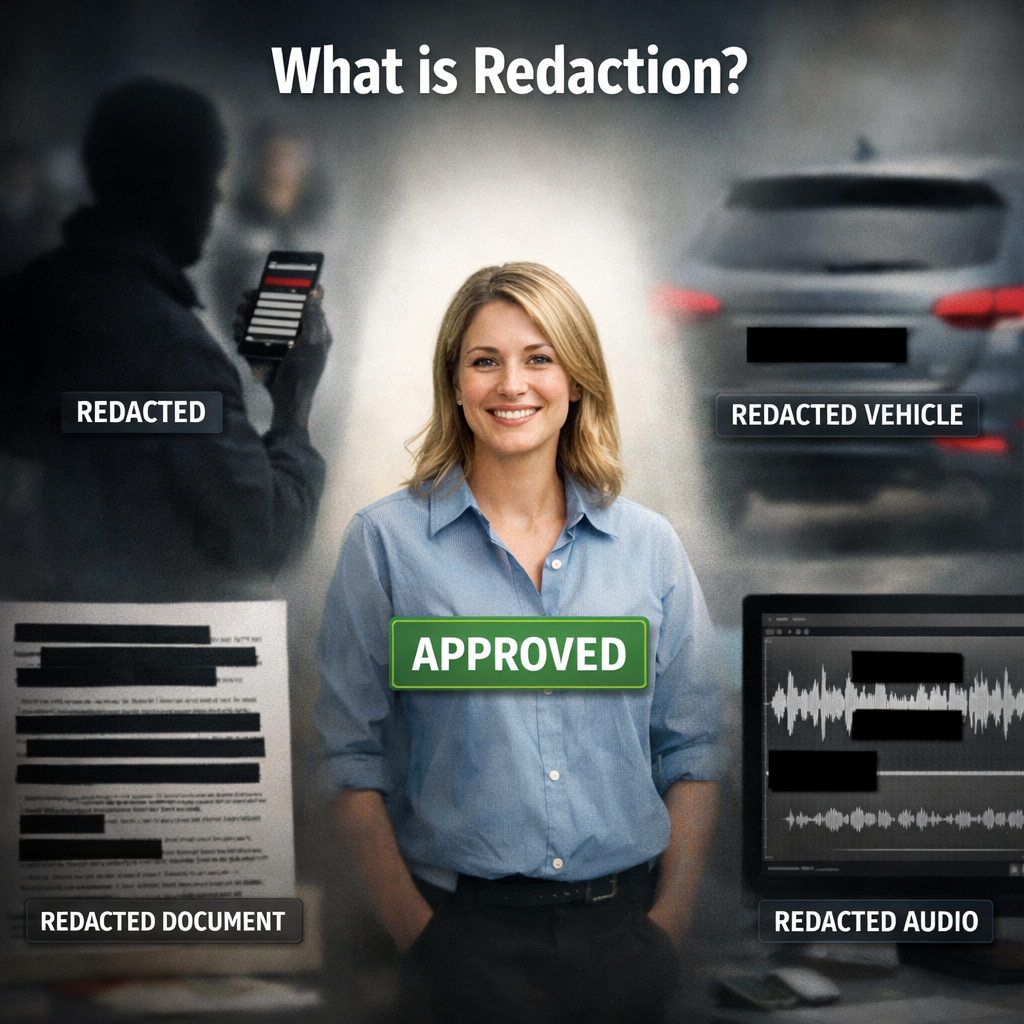
Redaction is the controlled removal or masking of information that should not be visible, audible, searchable, or recoverable in the release copy. In a document, that may mean removing names, addresses, account numbers, medical details, or privileged paragraphs. In media, it may mean blurring a head, masking a license plate, muting a name spoken aloud, or hiding a screen that contains private data.
The important distinction is intent. Cropping, editing, and compression change media for presentation. Redaction changes media to reduce disclosure risk. A useful redaction workflow keeps enough context for the record to make sense while protecting the details that should not be shared.
That balance matters in public records, legal discovery, healthcare, education, insurance, internal investigations, and corporate review. The federal Freedom of Information Act and privacy frameworks such as the General Data Protection Regulation are reminders that disclosure and privacy often have to be handled together, not treated as separate jobs.
What kinds of information usually need redaction?
Sensitive information can appear in more places than a reviewer expects. A face-like area in the frame is only one category. Media can also show a vehicle plate, a student ID, a patient wristband, a computer screen, a whiteboard, a house number, a badge, a document, or a bystander who is not part of the release purpose.
Audio adds another layer. A person may say a name, phone number, address, date of birth, case detail, or medical fact even when nothing sensitive is visible on screen. Transcripts help reviewers find those moments, but the audio still needs to be checked in the original file.
For Redactor-specific workflows, the current Auto Detect object categories are Heads, People, License Plates, Vehicles, IDs, Screens, and Documents. Redactor detects heads rather than identifying individuals, so it should be described as redaction and object detection software.
A good scope note helps your reviewers separate mandatory redactions from review-only items. Mandatory items might include minors, patient information, license plates, credentials, financial details, or unrelated bystanders. Review-only items might include background signs, visible documents, or context that only becomes sensitive when paired with the request.
Teams should also decide whether the redaction should remove visibility, sound, searchability, or all three. A name on a badge may need a visual mask. A spoken address may need audio treatment. The same address in a transcript may need text review before the file is handed to another team.
How does video, image, and audio redaction work?
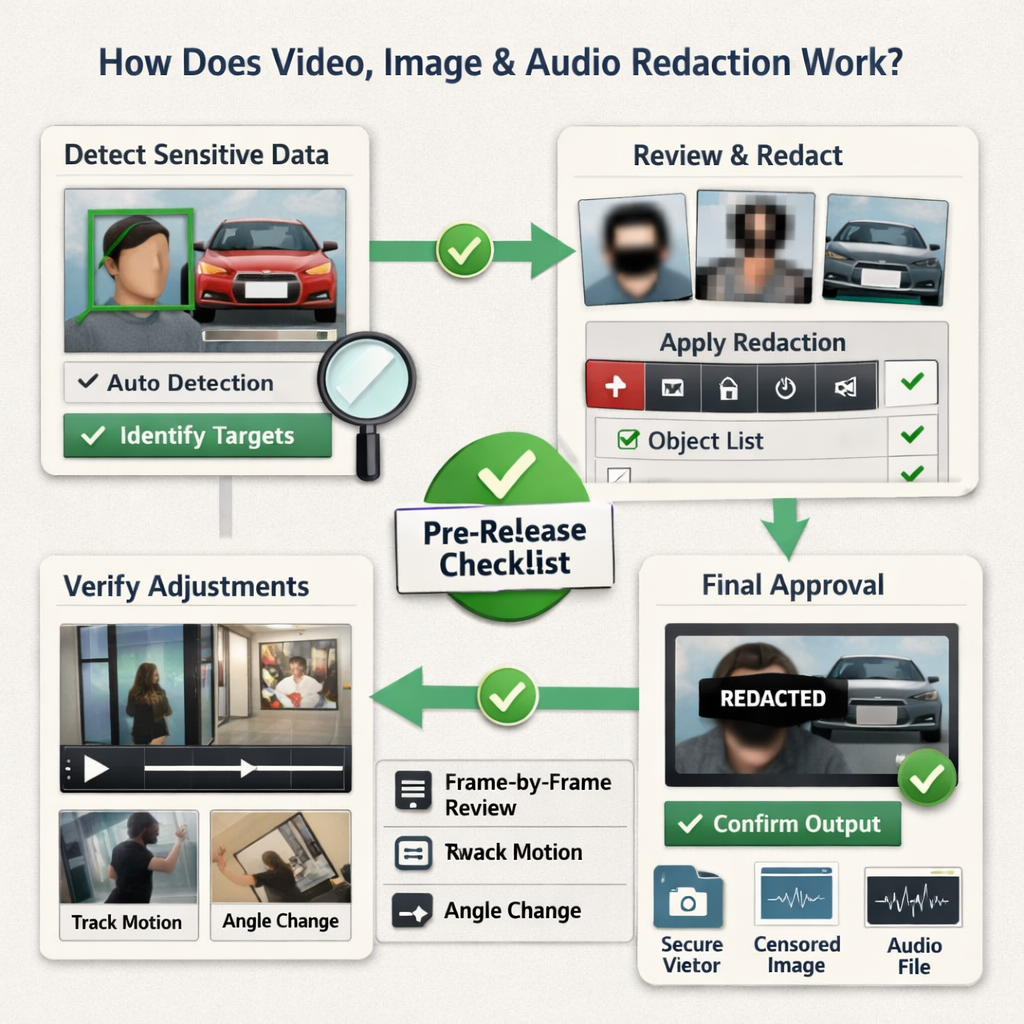
A practical redaction workflow usually starts with your release scope. The reviewer decides what needs protection, why it needs protection, and whether the release copy should keep the surrounding scene, motion, and spoken context.
For video and image files, software can detect objects, let reviewers inspect the results, and apply a visual treatment such as blur, pixelation, mosaic, outline, fill, or Smart Fill. The reviewer can then add manual redaction zones for anything detection does not cover. In Redactor, that workflow combines Redactor Smart Redaction features with Custom Redaction tools for exact zones.
For audio, redaction usually means muting, beeping, or scrambling a selected segment. The right choice depends on the release policy. Some teams prefer silence because it is clear and simple. Others use a beep or scramble effect so the viewer can tell speech was intentionally removed.
The safest workflow keeps the original file intact and exports a separate redacted copy. That makes review, chain of custody, and correction easier if a release decision changes later.
Image redaction follows the same principle at a smaller scale. A still image can contain a plate, screen, ID card, medical label, or document corner that is easy to miss during a quick visual scan. Video redaction adds motion, object tracking, and frame-by-frame consistency to that same review problem.
Audio review should be handled alongside visual review instead of as an afterthought. A clip can look safe while the soundtrack still contains a name, address, school, case number, or medical detail. Treating the transcript as a navigation layer helps reviewers find likely problem areas without turning the transcript into the only source of truth.
Why does transcription matter in media redaction?
Transcription turns spoken content into text that can be searched, reviewed, and compared against release requirements. That is useful when a file contains interviews, hearings, training footage, public meetings, bodycam audio, or recorded calls.
A transcript should not be treated as the only review surface. Speech recognition can miss words, split names incorrectly, or lose meaning when people talk over each other. The transcript is a guide that helps reviewers find likely sensitive moments faster, while the final decision still belongs to the reviewer.
Transcription is also useful for accessibility and internal review. A searchable transcript lets legal, compliance, records, or operations teams find terms quickly without watching every minute from start to finish.
When do organizations need redaction?
Organizations usually need redaction when media will move beyond the team that captured it. That includes public-records release, litigation, discovery, insurance claims, school incident review, healthcare privacy review, internal investigations, and vendor or partner sharing.
The need has grown because teams now capture more video, images, and audio than they can comfortably review by hand. Law enforcement agencies may work with body-worn camera, dashcam, CCTV, and interview-room footage. Schools may need to protect students in incident recordings. Healthcare and insurance teams may need to protect patient or claimant information. Enterprise teams may need to protect screenshots, meeting recordings, or proprietary details.
The U.S. Department of Justice has published best practices for video redaction for public-records contexts. The practical lesson is broader than one agency setting: define the release purpose, protect unrelated private information, and review the final export before distribution.
What should you check before releasing redacted media?
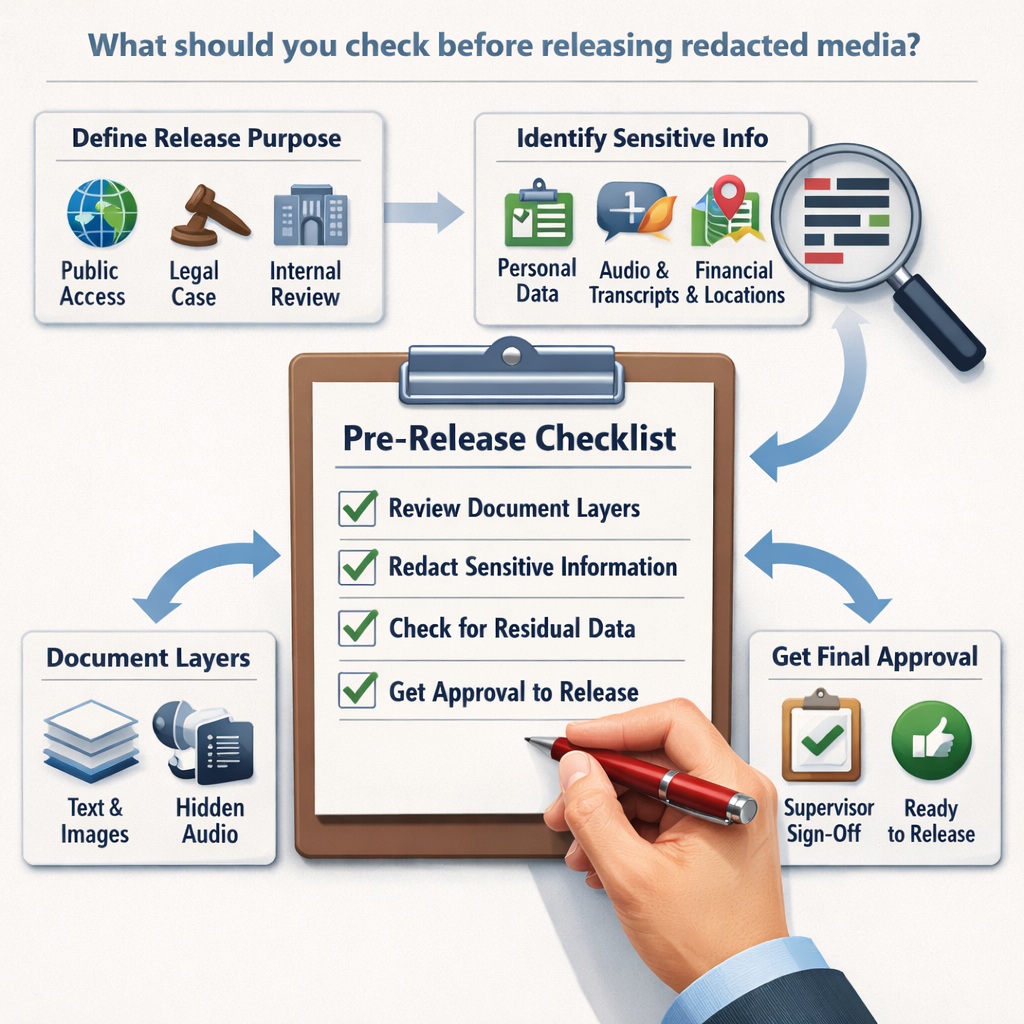
A release check should cover the file, the redactions, the audio, the transcript, and the export settings. Reviewers should inspect enough of the final output to confirm that sensitive details are not recoverable and that the remaining context still supports the release purpose.
Use this checklist before your team releases the file:
- Confirm the release purpose and the categories that must be protected.
- Review detected objects and manually add anything the software did not catch.
- Check audio and transcript results for names, addresses, case details, and other spoken information.
- Export a separate release copy without overwriting the original file.
- Have the right internal owner approve the final version before distribution.
The checklist should be tailored to the policy behind the release. A public-records request, a discovery production, and an internal training clip may require different review standards.
A second reviewer is useful when the file carries legal, safety, medical, or public-records risk. That reviewer does not need to redo every step from scratch, but they should inspect the final export, spot-check the most sensitive segments, and confirm that the release copy matches the stated purpose.
Teams should also document what was reviewed. A short review note can record the request type, protected categories, reviewer, approval owner, export date, and where the original file remains stored. That note makes later questions easier to answer without reopening the entire project.
How Sighthound Redactor helps
In the editor, teams can use Auto Detect, review objects in the Objects list, add Custom Redaction zones, and then use Render & Export to create the release copy. The Redactor documentation explains the operator workflow, while the product site summarizes what video redaction means for teams evaluating the process.
Render & Export settings let reviewers choose the visual treatment, shape, and intensity for the release copy. Audio review can use mute, beep, or scramble modes, depending on the policy and audience. Make those choices before export so your final file is consistent across visual, audio, and transcript review.
FAQs
1. Is redaction the same as deleting information?
No. Deleting removes content from a working copy. Redaction creates a release copy where protected information is masked, muted, or removed while the remaining record stays useful.
2. Does Redactor identify people?
No. Redactor detects heads and objects for redaction. It does not identify people.
3. Can audio be redacted too?
Yes. Audio redaction can mute, beep, or scramble selected speech segments. Transcription can help reviewers locate sensitive spoken words faster.
4. Should automated redaction replace human review?
No. Automated detection can reduce manual effort, but a reviewer should still check the final export against the release policy.
Legal Disclaimer
This article is for general informational purposes only and is not legal advice. Redactor is tooling; compliance decisions, release standards, and legal review remain the customer's responsibility.
Sources
What to do next
If you need to protect sensitive video, image, or audio files before release, Start a 24-hour free trial and test Redactor with your own review workflow.
Published on:
September 7, 2023