

By:
Haris RanaLast Updated:
TL;DR
- Treat the 30-day release window as a planning scenario, not a universal legal deadline.
- Separate your AI processing clock from your reviewer clock before assigning staff.
- Use a pilot sample to measure scene complexity, review effort, export time, and rework.
- Build one plan that misses the deadline and one plan that can make it, then compare the gaps.
- Redactor can support bulk video, image, and audio redaction workflows, but final release quality still belongs to the review team.
Bulk video redaction software matters most when the request is already bigger than the team. A 10,000-hour backlog turns redaction into a capacity problem: source hours, processing queues, reviewer hours, export checks, and deadline risk. The right plan starts with your math, then turns that math into staffing and review decisions.
Redactor is tooling; compliance is the customer's responsibility, and Sighthound content is informational and not legal advice.
Use this checklist while you compare tools
- What numbers do you need before you start?
- How do you build a plan that misses the deadline?
- How do you build a plan that can make the deadline?
- What should the pilot measure?
The 30-day video release problem is a capacity problem
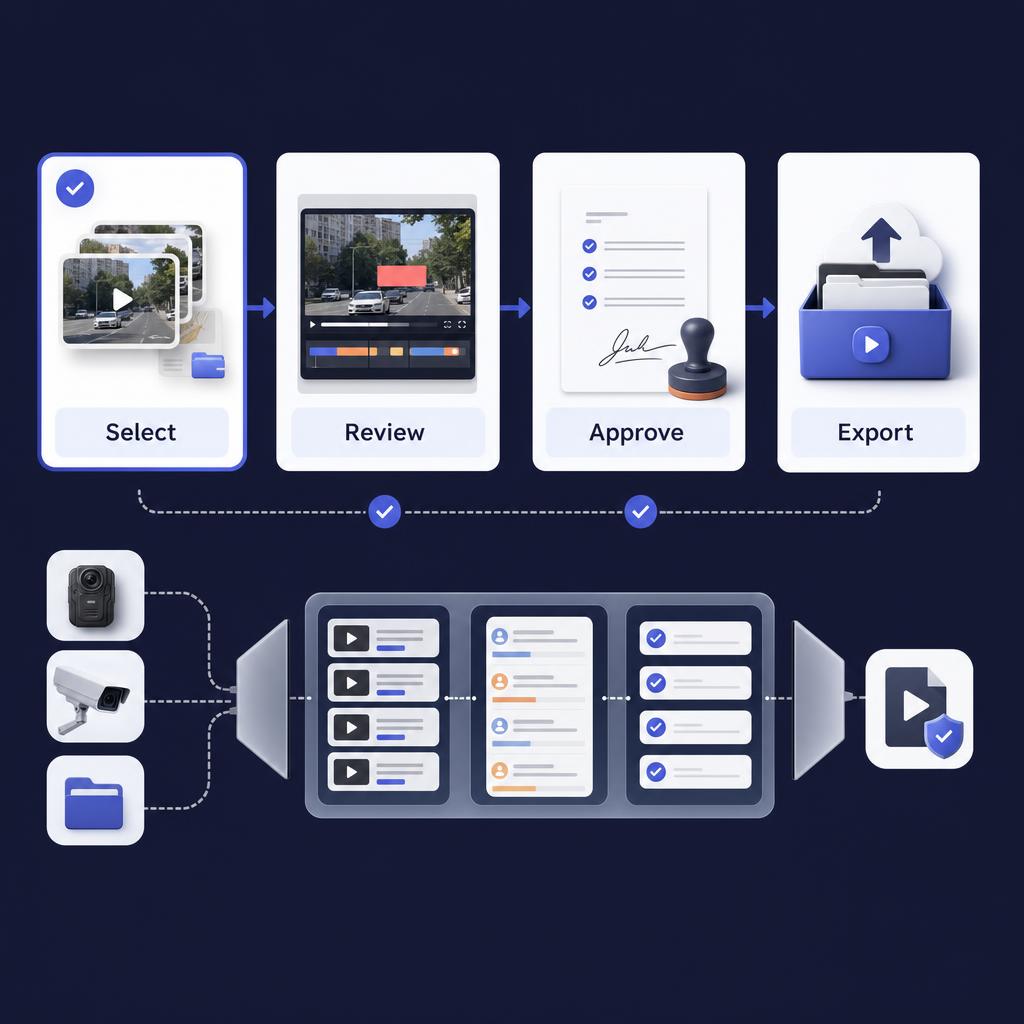
A 30-day release window is not solved by counting files. It is solved by counting hours of source footage, hours of machine processing, hours of reviewer attention, and the time left for export checks.
Start with your real request. A public-records team may be preparing video for release. An eDiscovery vendor may be preparing media for a production workflow under the discovery process described in Federal Rule of Civil Procedure 34. An investigative team may need to protect personal information before sharing claim or case media with outside parties.
The deadline may come from a statute, a court order, a client schedule, or an internal service-level target. Do not assume the number in the headline is the law. Review the Freedom of Information Act text, the DOJ FOIA Guide, and the rules that govern your actual request before building your calendar.
The first planning error is treating "10,000 hours" as one number. Split it into buckets:
- Low-motion footage with few objects.
- Busy footage with many people, plates, screens, or documents.
- Audio-heavy footage that needs transcript review.
- Files with format, quality, or export risks.
- High-risk files that require legal or supervisory review.
That split matters because redaction work is not linear. One hour of static hallway video and one hour of crowded handheld footage do not create the same reviewer workload.
If the team is still choosing software, use a video redaction software buying checklist before committing to a deadline plan. Buying criteria should include batch workflow, review controls, deployment fit, and evidence handling.
What numbers do you need before you start?
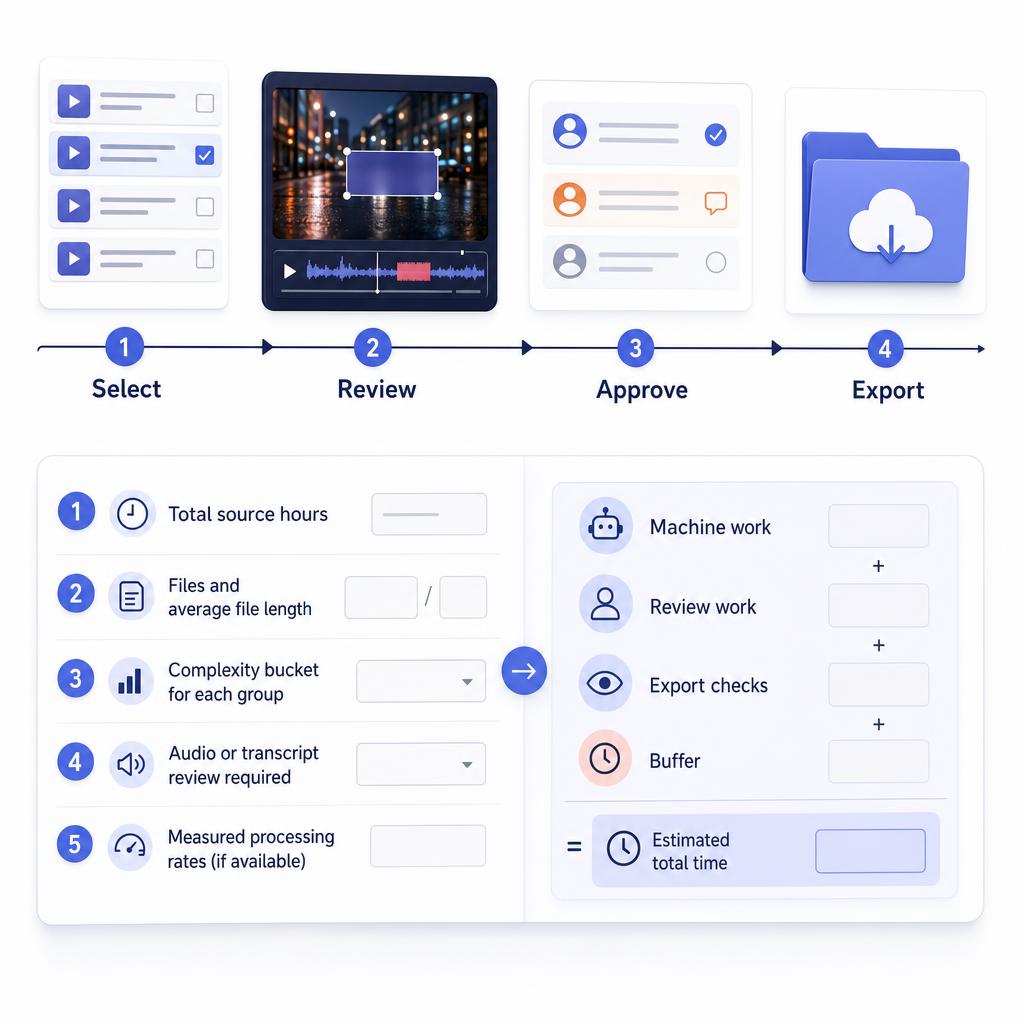
The first worksheet should be simple enough to explain in a meeting. It needs one line for source hours and separate lines for machine work, review work, export checks, and buffer.
Use this worksheet:
- Total source hours.
- Files and average file length.
- Complexity bucket for each group.
- Audio or transcript review required.
- Measured processing time from a pilot sample.
- Measured reviewer time from the same sample.
- Number of available reviewers.
- Processing lanes or machines.
- Export and final-review buffer.
- Deadline days after holidays, weekends, approvals, and escalation time.
Do not fill your worksheet with vendor promises. Run a representative pilot. Use the same media types, formats, and review standard that the real project will use. If the pilot includes only clean footage, it will understate risk.
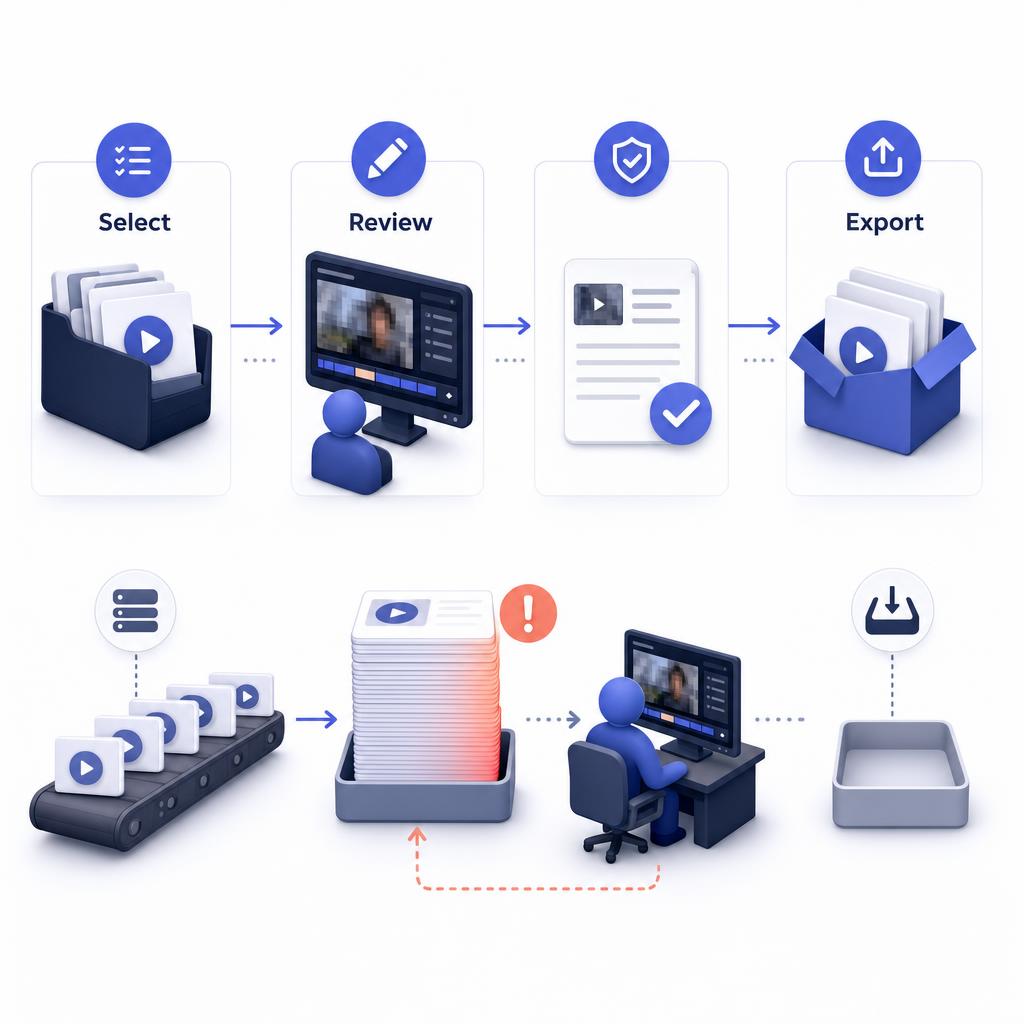
The second planning error is using one clock. AI-assisted detection may finish before the reviewers do. Reviewers may finish before exports and final checks clear. Treat each queue as its own constraint.
For legal and evidence-heavy work, the source file and the release copy are different things. Use video evidence chain of custody to define the handoff from original file to working copy.
Use metadata integrity when your release process needs a clear record of file context. A digital evidence checklist can keep owners, review points, and release-package steps explicit. The Federal Rules of Evidence definition of recordings and duplicates is also worth checking when a release copy may later be discussed in a legal setting.
Key point: Redactor combines Smart Redaction with Custom Redaction tools for AI-assisted detection and manual drawing.
How do you build a plan that misses the deadline?
A missed plan usually looks reasonable at first. It assumes the software processes the queue, one or two reviewers clean up the results, and exports happen at the end.
Here is the problem with that plan. A single processing lane can build a review queue faster than one reviewer can clear it. A single reviewer can also become the final bottleneck even when the AI work looks complete. If exports are saved for the last week, failed exports or missed objects create late rework.
Use this deliberately bad plan as your stress test:
- One processing lane.
- One reviewer.
- No complexity buckets.
- No separate audio review.
- No final export review outside the editor.
- No buffer for legal questions.
That plan is not wrong because the tools are weak. It is wrong because every dependency waits behind the previous one. The team discovers the reviewer bottleneck after most of the calendar is gone.
The same mistake shows up in eDiscovery video redaction. A production team may trigger AI detection across a large set, then return later for human review. That works only if the review queue, export queue, and quality standard were sized before the batch started.
For public-records work, release risk also includes what stays visible. Reviewers need a shared redaction standard before they start. Use what redaction means as a baseline explainer, then define which objects require review and when a supervisor or legal reviewer enters the process. The NIJ chain-of-custody training is a useful reminder that evidence handling is a documented process, not a final export button.
How do you build a plan that can make the deadline?
A workable plan makes the bottlenecks visible early. It starts with a pilot, then scales processing and review in parallel.
Build the plan in this order:
- Pick a sample that includes simple, average, and hard footage.
- Run AI-assisted detection on the sample.
- Measure reviewer time for each complexity bucket.
- Measure export and final-viewing time.
- Calculate daily review capacity per reviewer.
- Assign the hardest files first.
- Add buffer days for rework, supervisor review, and legal questions.
- Re-run the model when the first production day finishes.
For a 30-day scenario, avoid using all 30 days as production time. Reserve time for intake, sampling, quality checks, approvals, delivery packaging, and rework. A practical calendar might treat the first days as pilot and setup, the middle days as parallel processing and review, and the final days as export validation and release packaging.
Your staffing model should answer one blunt question: how many reviewer-hours are needed per day? If the answer is higher than available staff, the plan must change before the project starts. Options include adding reviewers, splitting by complexity, adding processing lanes, narrowing release scope, extending the deadline, or escalating the request owner.
Batch video redaction should also include a correction loop. High-motion footage, poor lighting, crowded scenes, or long recordings can increase manual review. Treat those files as early work, not late surprises.
For investigative contexts, do not turn a weak source base into strong public claims. Insurance teams may face video review deadlines, but the specific source of the deadline should be validated from the claim file, policy workflow, or authoritative source such as the National Insurance Crime Bureau when relevant.
How Redactor helps
Redactor is AI-powered video, image, and audio redaction software. Redactor processes hundreds or thousands of files in a single bulk workflow.
Redactor supports bodycam, CCTV, dashcam, mobile-phone, and screen-capture footage. Redactor is used to prepare footage for FOIA release, subpoena response, discovery, and public-records disclosure.
The editor includes Auto Detect, Render & Export, and Close Video controls, with Objects, Audio, and Speech panels. Auto Detect offers Heads, People, License Plates, Vehicles, IDs, Screens, and Documents in that UI order.
Redactor detects heads, not faces, and does not identify individuals. Auto Detect confidence levels range from Very High through Very Low, so teams can choose stricter or more permissive detection behavior during review.
Redactor transcribes audio with support for 8+ languages. That matters when a release package includes spoken names, addresses, or other sensitive information in audio.
Deployment also affects the plan. Redactor runs on Windows, Linux, and Docker. Redactor can deploy as desktop, client-server, embedded UI, white-label, on-premise, offline, or air-gapped. Redactor runs fully offline and supports air-gapped deployment; no internet access is required for processing.
Use the Redactor features page to map the workflow, then use Redactor documentation to confirm the exact steps operators will follow. Redactor offers a 24-hour free trial with full feature access and no credit card required. Your pilot should still mirror the actual project as closely as possible.
Key point: Redactor detects heads, not faces, and does not identify individuals.
What should the pilot measure?
The pilot should produce your staffing model, not just a confidence check. If the pilot does not change the staffing plan, it was too shallow.
Measure these outputs:
- Processing time by complexity bucket.
- Reviewer time per source hour.
- Missed-object correction time.
- False-positive cleanup time.
- Audio or transcript review time.
- Export time.
- Final viewing time outside the editor.
- Rework rate after supervisor or legal review.
Then convert the results into a daily plan. If reviewers can clear 300 source hours per day and the project requires 10,000 hours, the review queue alone needs more than 33 review days. That plan misses a 30-day window before exports, approvals, and rework are counted. If additional reviewers, triage, or scope changes raise the reviewed output above the required daily average, the plan becomes credible.
Keep your model visible during production. A daily dashboard can show source hours received, source hours processed, source hours reviewed, exports completed, and files returned for rework. The point is not to make the estimate perfect. The point is to find the miss early enough to fix it.
Key point: Redactor processes hundreds or thousands of files in a single bulk workflow.
Key Takeaways
- The deadline model needs source hours, AI-assisted processing time, reviewer time, export checks, and buffer.
- The AI processing queue and reviewer queue are separate clocks.
- Run a representative pilot before accepting a 10,000-hour schedule.
- Do not publish or rely on unsupported benchmark claims when planning the work.
- Redactor processes hundreds or thousands of files in a single bulk workflow, while review quality remains a human-owned release gate.
FAQ
1. Is a 30-day deadline a legal requirement?
Not always. Treat 30 days as a planning scenario unless the request, statute, court order, or client schedule says otherwise. Confirm the actual deadline with counsel, records staff, or the authority governing the request.
2. Can AI replace human video review?
No. AI-assisted detection can reduce search and marking work, but the release decision still needs human review, test exports, and any required legal or compliance review.
3. What makes bulk video redaction slow?
Scene complexity, object density, poor source quality, audio review, export checks, and rework can all add time. Long files are not the only issue.
4. Should the hardest footage wait until the end?
No. Put dense, shaky, audio-heavy, or high-risk files near the start. Those files reveal the true reviewer workload and rework risk.
Legal Disclaimer
Redactor is tooling; compliance is the customer's responsibility, and this article is informational, not legal advice. Confirm deadlines, exemptions, production duties, and release decisions with qualified legal or records professionals.
Sources
- Freedom of Information Act text
- DOJ Guide to the Freedom of Information Act
- Federal Rule of Civil Procedure 34
- Federal Rule of Evidence 1001
- NIJ chain-of-custody training
Related reading
- Redactor features
- Redactor documentation
- Video redaction software buying checklist
- Video evidence chain of custody
What to do next
Run a representative pilot with real source files, measure the two clocks, and Start a Redactor free trial.
Published on: