VMS and EMS platforms are valuable storage and workflow systems, but they do not remove the need for privacy review.

By:
Haris Rana7
min read
Last Updated:
May 24, 2026
Share this article
TL;DR
VMS and EMS platforms help teams manage video and evidence, but they do not replace privacy review. Video redaction software helps protect people, plates, IDs, screens, documents, and audio before footage is shared. Redactor supports file-based video, image, and audio redaction for VMS/EMS workflows.
Video management and evidence management systems now hold more sensitive footage than many teams can safely review by hand. A clear redaction workflow helps protect people, preserve usable evidence, and prepare files for sharing.
TL;DR
1
A video management system (VMS) helps teams view, store, and manage surveillance footage.
2
An evidence management system (EMS) helps teams organize digital evidence, chain of custody, case records, and release workflows.
3
Video redaction software matters because VMS and EMS footage can contain heads, people, license plates, screens, documents, IDs, and spoken personal information.
4
Sighthound Redactor processes files and supports video, image, and audio redaction on Windows, Linux, Docker, offline, and air-gapped deployments.
5
VMS and EMS teams should pair detection with human review before footage is shared, archived, or released.
Key Takeaways
Redaction protects sensitive details while keeping the remaining footage useful for investigations, public records, legal review, healthcare, retail, and security operations.
Provider comparisons are helpful, but teams should confirm whether each platform includes native redaction, API access, embedded review, or external redaction handoff options.
Redactor can fit into a VMS or EMS workflow through file handoff, REST API workflows where available, or an embedded editor UI for custom applications.
What is a video management system?
A video management system (VMS) is a central platform for managing surveillance video. Organizations use VMS software to view live and recorded footage, manage cameras, control access, search archives, and connect video with other security systems.
A typical VMS may include:
- Live and recorded video viewing.
- Camera management for adding, removing, and configuring devices.
- Search and analytics across recorded footage.
- Recording, replay, retention, and export controls.
- User management for roles and access levels.
- Integration with alarms, access control, and other security tools.
VMS software is common in law enforcement, public safety, healthcare, retail, manufacturing, transportation, and corporate security. The same footage that helps teams investigate incidents can also capture bystanders, patients, employees, customers, plates, screens, documents, or other private information.
Where do VMS workflows create redaction risk?
VMS footage becomes sensitive when it moves outside the team that captured it. A clip may be exported for an investigation, a public-records request, an insurance review, a legal matter, a workplace incident, or an internal training review. Each handoff creates a privacy question: what should stay visible, and what should be obscured before sharing?
Law enforcement and public safety teams often use VMS software to monitor airports, transit hubs, public spaces, parking areas, and high-traffic locations. Those settings can capture unrelated people and vehicles alongside the incident under review.

Healthcare, retail, and corporate security teams face a similar issue. A useful clip can include patient movement, employee activity, payment areas, screens, visitor information, or background documents. Redaction gives reviewers a way to prepare a release copy while preserving the original file.
What is an evidence management system?
An evidence management system (EMS) helps organizations store, track, organize, and retrieve evidence connected to an investigation, legal process, or internal case. Evidence can include physical objects, documents, images, audio files, and video from CCTV, body-worn cameras, dashcams, mobile devices, or interviews.
For law enforcement and public safety teams, an EMS supports chain of custody, case organization, access control, review notes, and final disclosure. For legal, insurance, healthcare, or enterprise teams, the same structure can help keep evidence tied to the matter, reviewer, release purpose, and final output.
An EMS does not remove the need for redaction. It helps teams manage evidence; redaction helps prepare a shareable copy when the evidence includes information that should not be exposed.
Why is video redaction software necessary for modern VMS/EMS workflows?
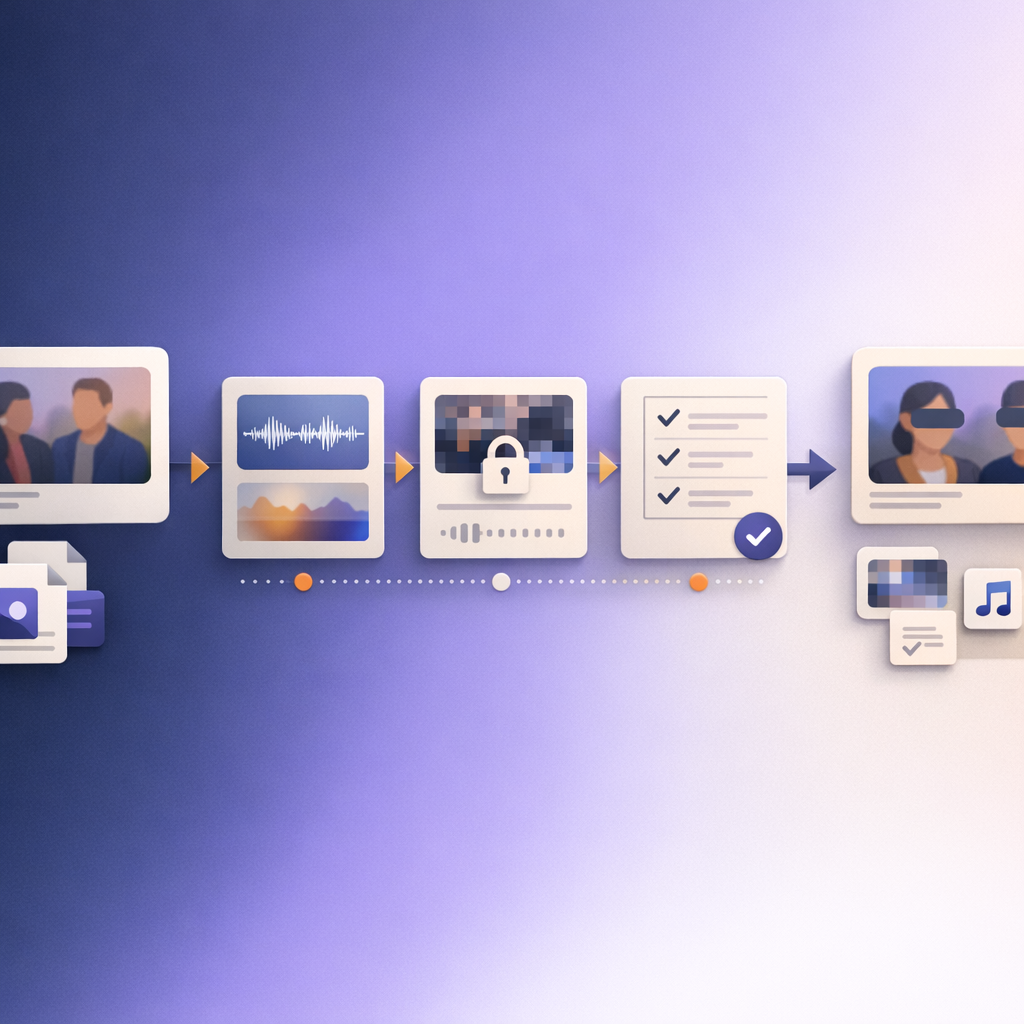
Video redaction software is necessary because VMS and EMS exports often contain more than the incident itself. A release copy may need to protect witnesses, victims, minors, patients, employees, license plates, IDs, screens, documents, addresses, or spoken personal details.
The practical reasons are straightforward:
- Identity and privacy protection: Reviewers may need to obscure people, heads, plates, IDs, screens, or documents before footage is shared.
- Evidence handling: Teams can keep the original file intact while exporting a redacted release copy.
- Review speed: Detection tools can reduce repetitive manual marking, especially when a file contains many recurring objects.
- Compliance support: Privacy, public-records, healthcare, and legal workflows often require a review step before disclosure.
- Quality control: Redaction software gives teams a repeatable workflow for marking, reviewing, exporting, and documenting files.
Redaction should not be treated as a substitute for policy or legal judgment. It is the operational step that helps reviewers apply those decisions to media files.
Which VMS and EMS providers should teams compare?
Teams comparing VMS or EMS software should confirm whether the platform includes native redaction, supports export to a separate redaction tool, offers API-based handoff, or can embed a redaction editor inside a custom workflow. The providers below are listed alphabetically. Inclusion does not imply endorsement, and product capabilities can change.
- Axis Camera Station — https://www.axis.com/products/axis-camera-station
- Digifort — https://www.digifort.com/gerenciamento-de-video.php
- Eagle Eye — https://www.een.com/
- Genetec Omnicast — https://www.genetec.com/products/unified-security/omnicast
- iCrime Fighter — https://www.icrimefighter.com/
- Milestone XProtect — https://www.milestonesys.com/video-technology/platform/xprotect/
- Motorola Video Management System — https://mdx-motorolasecurity.com/motorola-video-management-system/
- PMI Evidence Tracker — https://pmievidencetracker.com/
- Police1 evidence management resources — https://www.police1.com/police-products/investigation/evidence-management/
- Security Eye — https://www.security-eye-software.com/
When comparing vendors, ask a narrow redaction question early: how does the system protect sensitive video, image, and audio before files leave controlled storage?
How can Redactor fit into a VMS or EMS workflow?
Common patterns include:
- Export and review: Users export footage from the VMS or EMS, open the file in Redactor, apply redactions, review the output, and store the release copy back in the case workflow.
- API-assisted file processing: Where API access is available for the deployment, a system can send files into a Redactor workflow and retrieve the redacted output after review and export.
- Embedded review: The Redactor editor UI can be embedded inside a custom web application following the developer documentation.
- Partner or OEM workflows: Redactor can support white-label and OEM deployment models for partners that need redaction inside their own environment.
REST API availability depends on tier and deployment and is arranged through Redactor sales. That keeps integration planning tied to the real security, hosting, and support requirements of the VMS or EMS environment.
How Redactor helps VMS/EMS teams
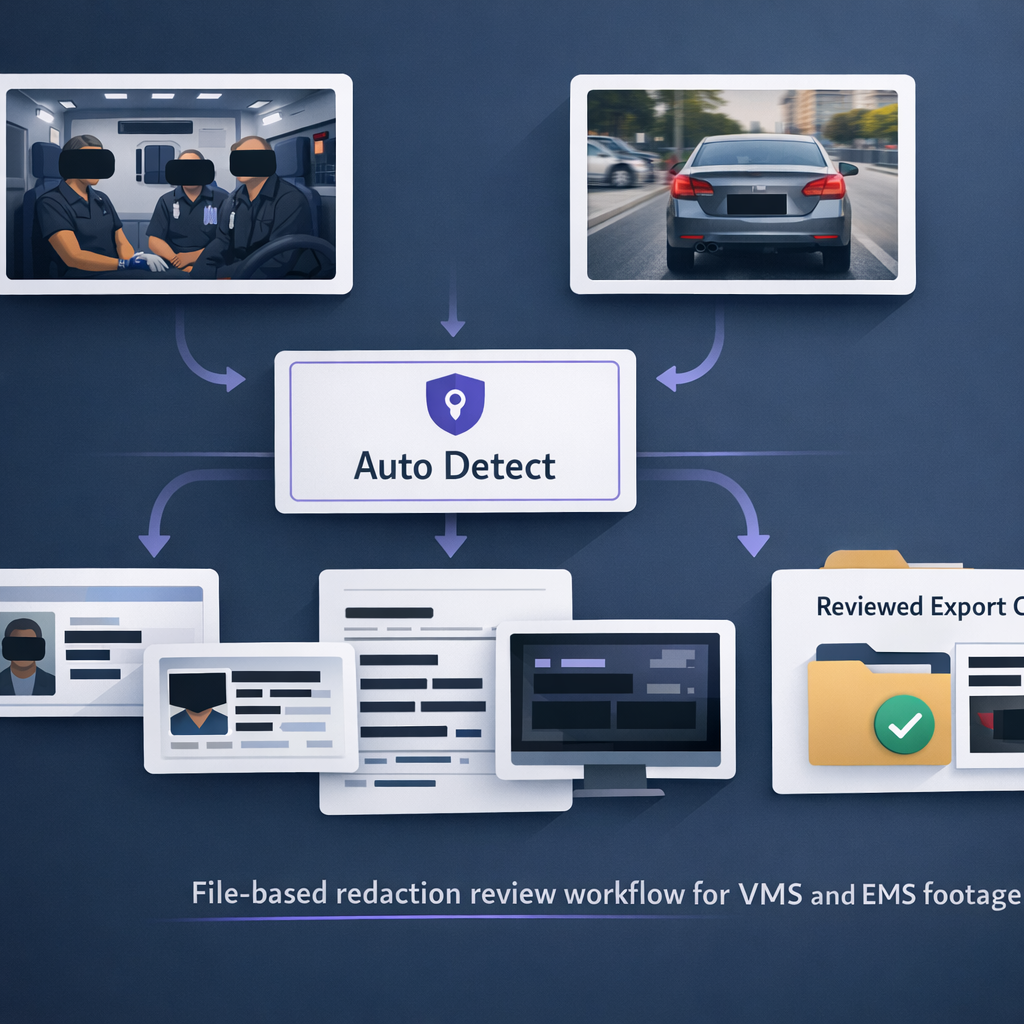
A basic Redactor review workflow can stay short:
- Open the working copy in Redactor.
- Choose Auto Detect.
- Select the needed object types.
- Select Submit.
- Review matches in the Objects list.
- Add Custom Redaction where needed.
- Use Render & Export for the release copy.
FAQs
1. Does a VMS replace video redaction software?
No. A VMS helps manage video capture, viewing, search, storage, and export. Redaction software helps prepare a protected release copy when footage contains sensitive information.
2. Does an EMS replace redaction review?
No. An EMS helps manage evidence and chain of custody. Redaction review is still needed when evidence includes people, plates, screens, documents, IDs, audio, or other information that should not be exposed.
3. Can Redactor work in offline or air-gapped environments?
Yes. Redactor runs fully offline and supports air-gapped deployment; no internet access is required for processing.
4. Does Redactor identify faces?
No. Redactor detects heads and objects for redaction. It does not identify people.
Legal Disclaimer
Redactor is tooling; compliance is the customer's responsibility, and Sighthound content is informational and not legal advice. Consult qualified counsel before relying on any privacy-law interpretation, disclosure decision, retention policy, or release workflow.
Sources
What to do next
Published on:
March 28, 2023